
Welcome to another AI by Aakash. I follow the AI news so you don’t have to.
We were literally talking about Loops as “the new prompts” two weeks ago. Then Peter Steinberger went and mentioned another “new thing” - Graphs.

So do we all need to learn graphs now? That is today’s deep dive.
But first, a word from our sponsor, and the week’s news.
In Partnership with
CodeRabbit’s Change Stack: Built for how reviews actually work
AI writes more code today than it ever has. Reviewing it shouldn’t mean scrolling through 40 files in alphabetical order.
CodeRabbit’s Change Stack organizes any pull request from a flat file to a structured overview. It reads the changes logically and then gives each range its own simple summary along with sequence diagrams, state machines, and ERDs wherever needed.
Cohorts group similar files to review one idea at a time. Layers order the elements so foundational changes come first. Code Peek allows you view definitional and usage seamlessly and Semantic Diff view cuts across formatting noise to show the actual changes. Reviews and approvals then post to GitHub or GitLab.

CodeRabbit’s Change Stack is free during early access. It’s from the team that pioneered AI code reviews - 2M PRs reviewed weekly, 6M repositories installed, and 15,000+ customers.
Try CodeRabbit on your next PR today →
This Week’s AI News
Top News This Week - Claude Opus 5
Model releases never stop. This week it was Anthropic’s Claude Opus 5 . It gets close to the intelligence of Fable 5, their most powerful model, at half the price ($10 input, $50 output / M token vs $5/$25).
The benchmarks are genuinely impressive, even above Fable in places:
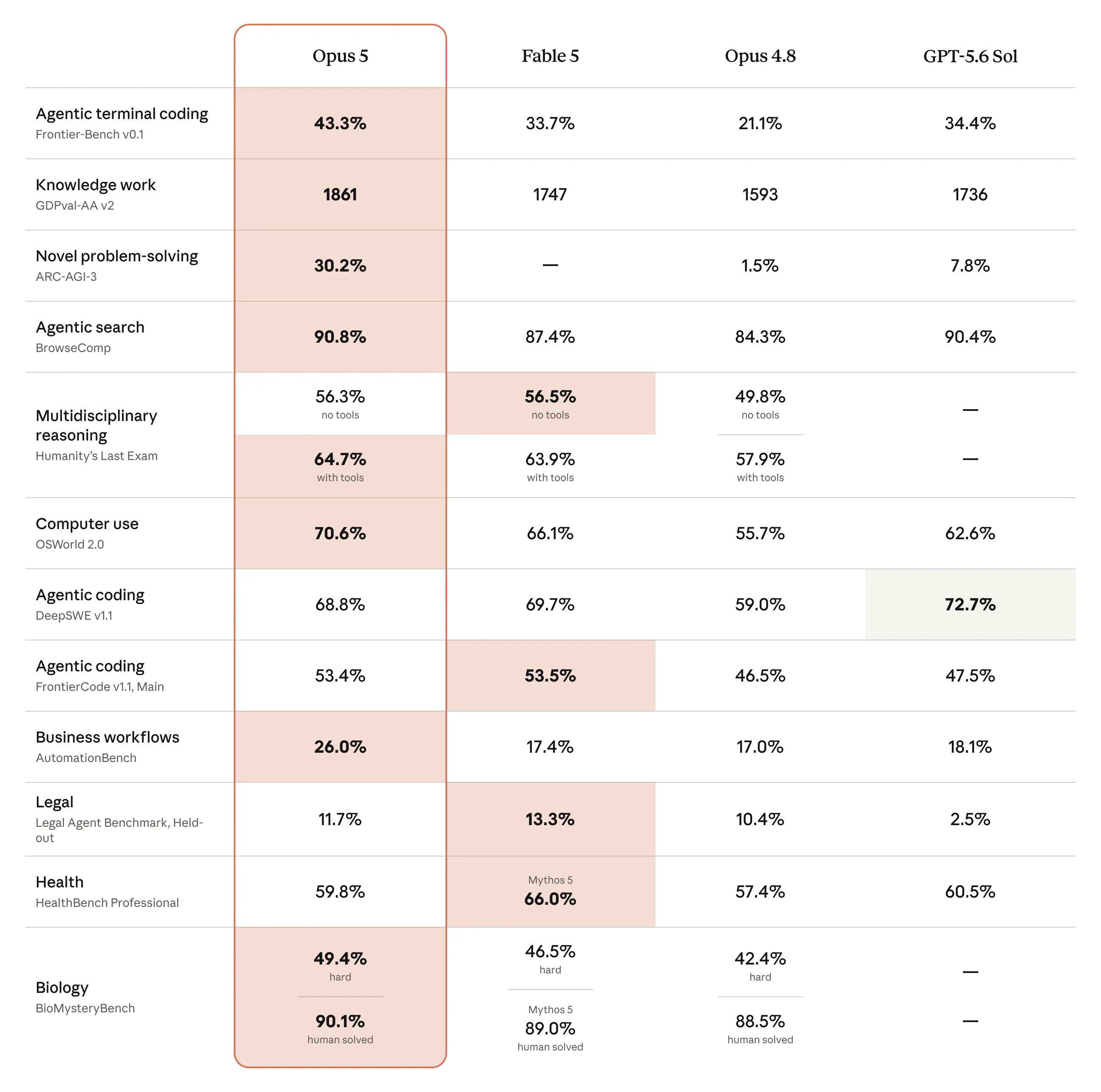
I’ve been testing it every day since it came out. Here’s where my vibe checks land:
I think it’s a distilled version of Fable. It reminds me of Chinese models that benchmark well, but don’t do that well in vibe checks.
I don’t think it deserves the Opus name. It’s not that good.
Yet, I still use it a lot! That’s because Fable is limited to 50% of my usage in the Max plan and costs 2x as much in overage.
My most common usage pattern is to use a Claude Code Fable orchestrator agent spin up Sonnet 5 and Opus 5 sub-agents in workflows as needed.
The Other News That Mattered
Anthropic’s revenue has passed $70B ARR per David Sacks, and will end the year at $100-$150B per Dwarkesh Patel. It’s on track to complete the 10x another year of its existence, just as I predicted.
Most of the top AI companies signed a letter asking Washington to protect open models, after news had leaked the White House was considering banning Chinese AI models.
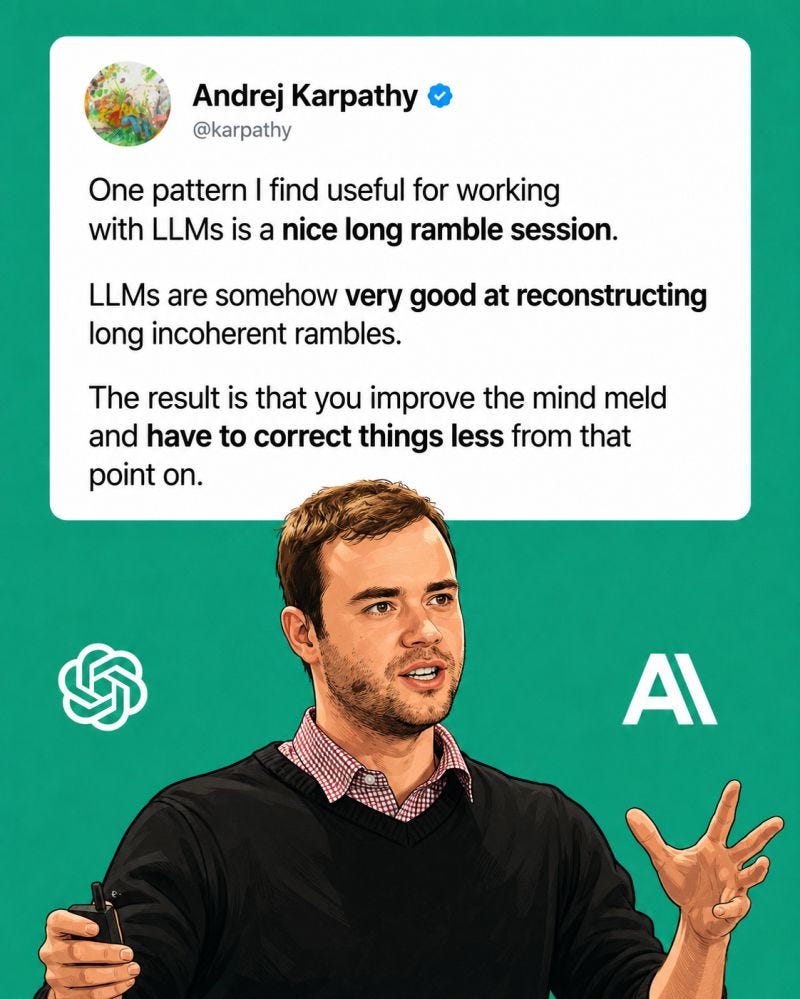
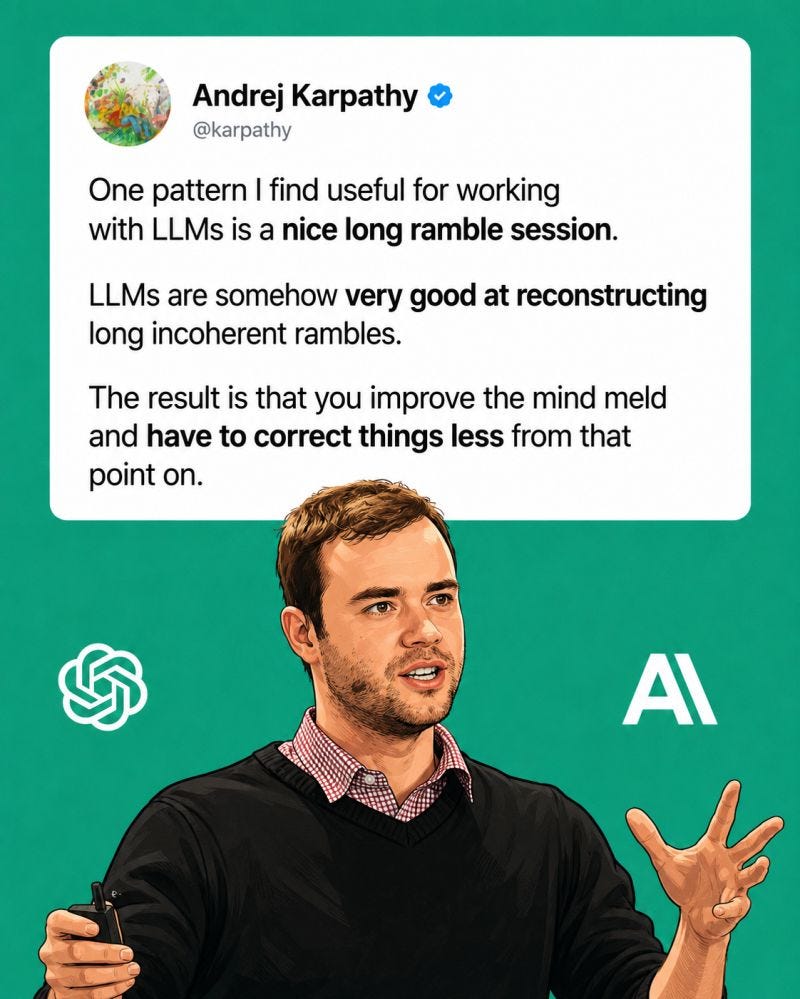
ChatGPT Voice is now in the desktop app, and Anthropic upgraded Claude’s voice mode the same day. As Karpathy said, long ramble sessions work well with agents.
Tools
Jack Dorsey and Block released Buzz, an open source, agent-native chat app.
Andrew Ng released OpenWorker, an open-source desktop agent. It runs local-first so your files never leave your machine, and it hands back finished docs instead of chat replies.
Funding
Moonshot, the creators of Kimi K3, secured a $35B valuation, with $3.5B raised, the same week they released all 2.8 trillion parameters of Kimi K3.
Atoms raised $1.7B for Travis Kalanick’s (the Uber guy) industrial robotics startup, led by a16z.
Deep Dive
Complete Guide: Graphs
Graphs are all the hype on X right now after Peter from OpenAI talked about it.
Beyond the hype, Graph Engineering is a very powerful system to build multi-agent systems that already existed. Let me explain it to you in the simplest terms.
I’ve broken today’s deep dive into three pieces:
What is a graph and how did we end up here
Graph patterns and when to use them
Graph construction in practice
1. What is a Graph and how did we get here?
You can think of the 5 hype cycles we’ve seen the last 3 years as actually building upon eachother:
Prompt → Context → Harness→ Loop→ Graph
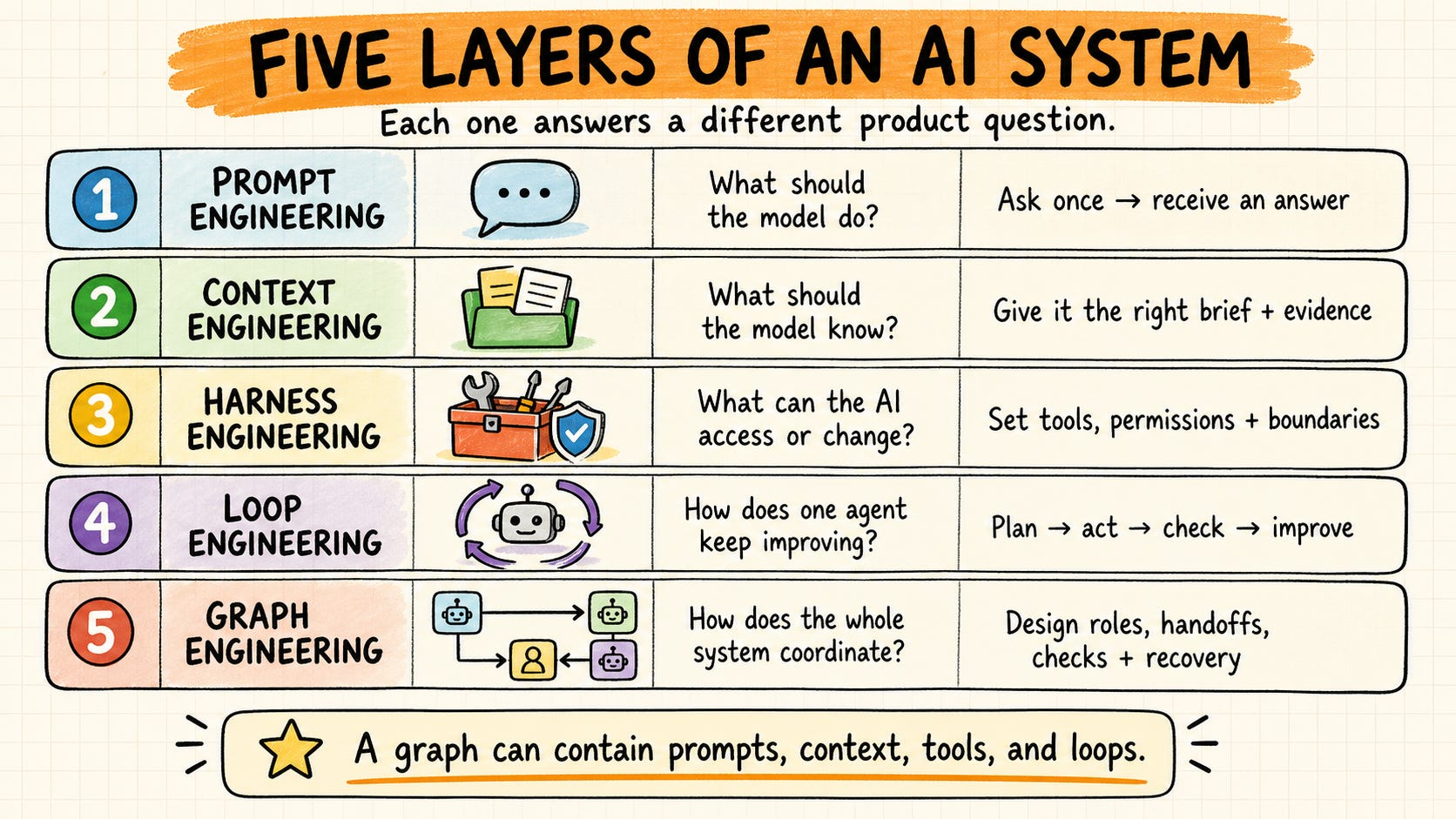
Prompt engineering is what the model should do.
Context engineering is what the model should know.
Harness engineering is about what the Ai can access or change.
Loop engineering is how the agent keeps improving.
Graph engineering is how the whole system coordinates.
Most people still use AI like a single employee. You ask a question, the model thinks and responds. For simple tasks that’s enough, but real work is rarely that straightforward.
In a graph:
Each node performs one specific responsibility: one researches, another validates, another writes, another decides which path to take next.
Every node has its own independent output.
The connections between nodes are the graph. They define how information flows through the system.
Graphs have always existed. They are just a better way of designing systems. Instead of asking one AI to do everything, you’re building a coordinated team where every member has a clear responsibility.
2. Graph Patterns for your agents and when to use them
So how should you design a system? The key is to pattern match.
There’s tons of types of graphs:
Sequential: Research → Analyze → Draft → Review → Deliver
Router: Request → Understand → Billing / Support / Product / Human
Parallel: Plan → Several independent researchers → Synthesis
Orchestrator: Goal → Planner → Tools → Report
Review loop: Create → Review → Approve, or revise and check again
Evaluator: Draft → Evaluate → Pass? → Approved
Diamond: Plan → Parallel exploration → Independent verification → Synthesis
You want to pattern match when to use which. The flowchart looks like this:
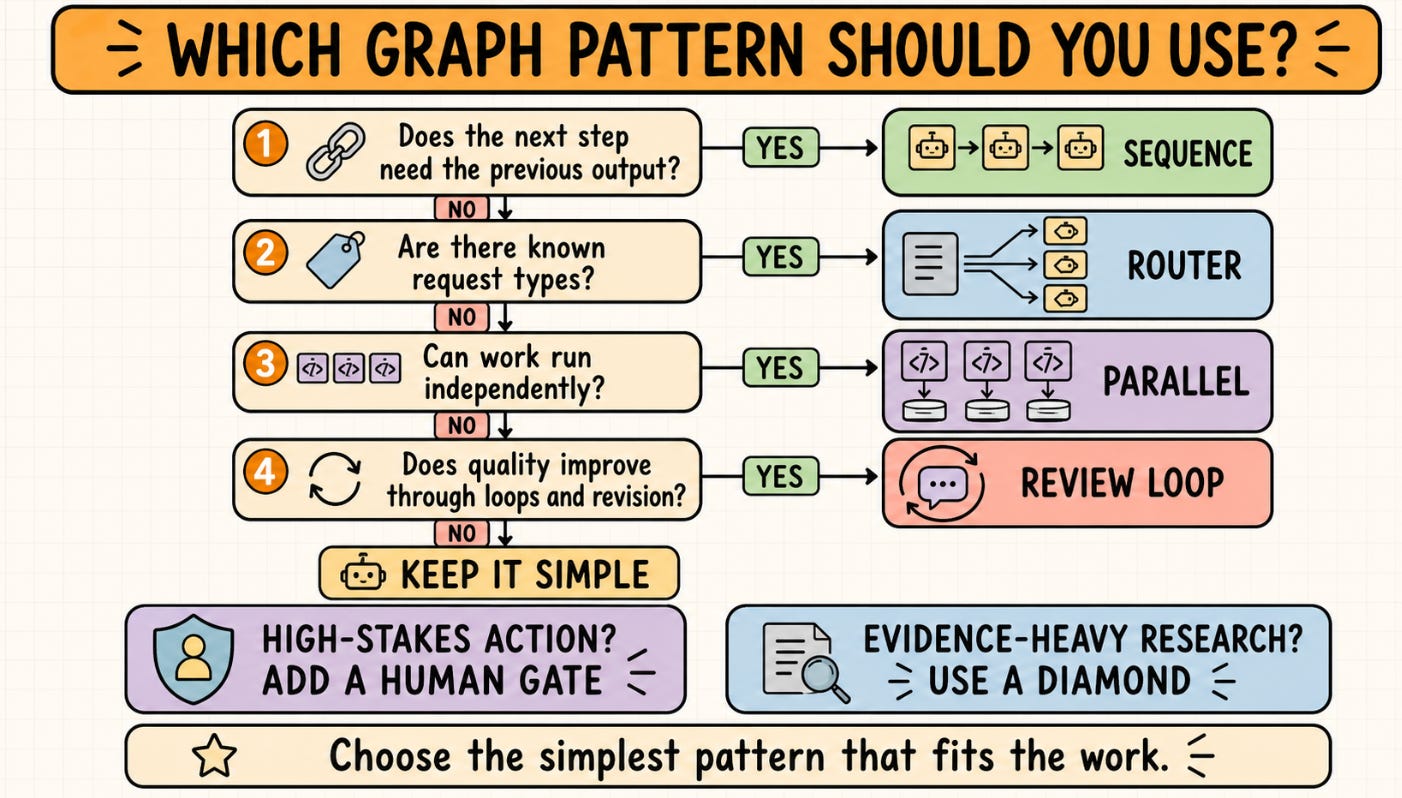
Most are exactly like they sound, with the exception of a diamond.
But you’ll get it as soon as you look at the visual:
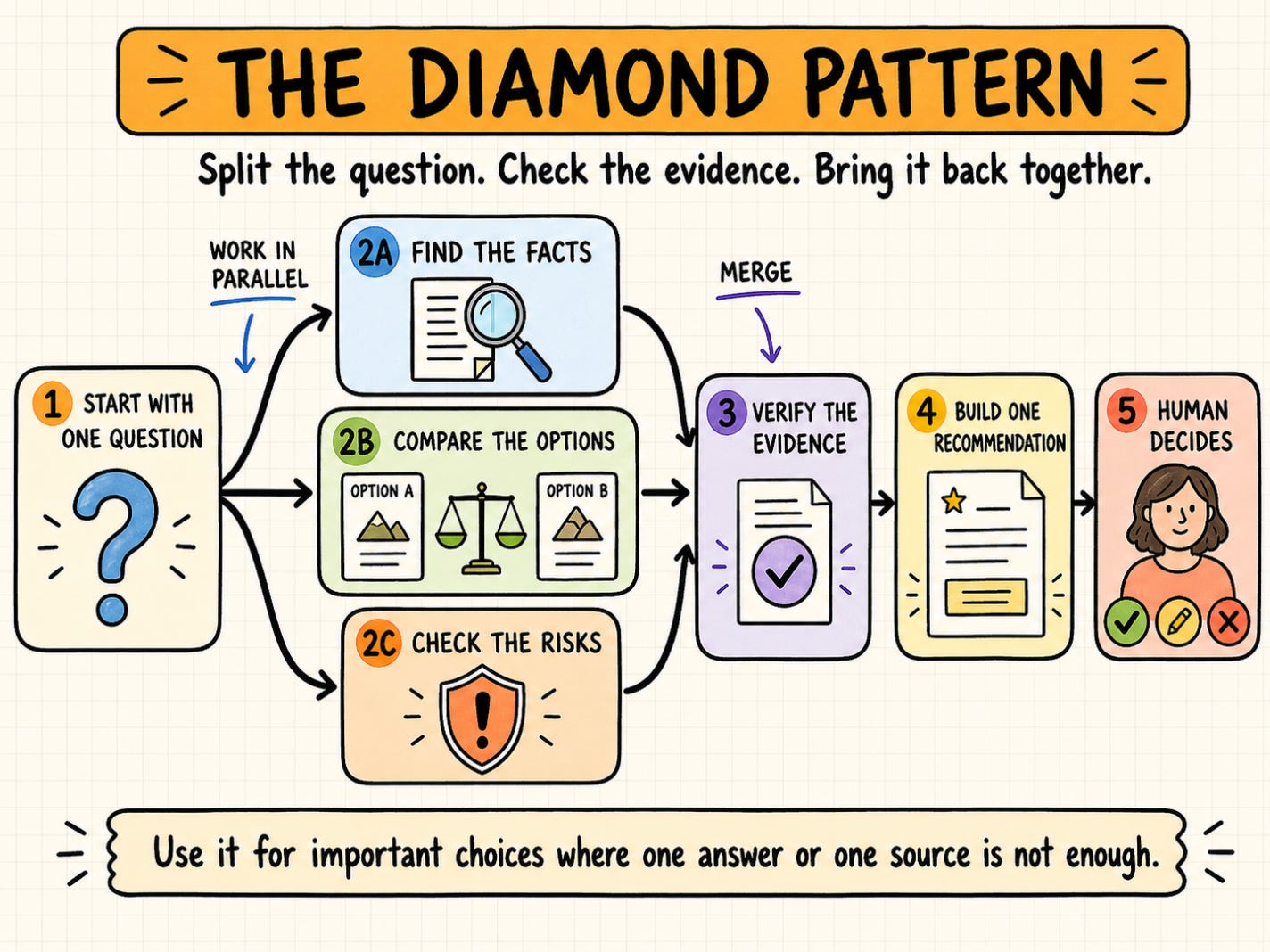
You essentially have one step with parallel agents. Once all the evidence has been verified and gathered, you bring it back to sequential.
The point is: don’t just rely on sequential. Parallelize where it makes sense. Loop where that does.
It’s that simple.
3. Graph construction in practice
Now let’s see what this looks like in practice.
The easiest way to use Graphs is to build them with Claude Code workflows. It will even do the work of selecting the right pattern for you. Start with a prompt like this:
I want to build a PRD on a catch up module in the instagram feed.
Use workflows and parallel sub-agents to build a double diamond graph. First parallelize analytics, user research, and stakeholder meeting agents. Then write the PRD. Then run parallel adversarial sub-agents exist it to improve until each approves on a loop. Share the final for my review.
Use Fable as the orchestrator, Sonnet for easy-medium tasks, Opus for hard tasks.
The keys to this prompt are:
Define the outcome you want
Explain the graph types you want it to use (combos of the types of above)
Identify the models you want to use for each task (you can see why I use Opus so much now!)
Then you can see it will go and build the prompts and do deep work, setting up parallel workflows where possible.
You can use /workflows to manage your graphs:

We basically defined a double diamond graph:
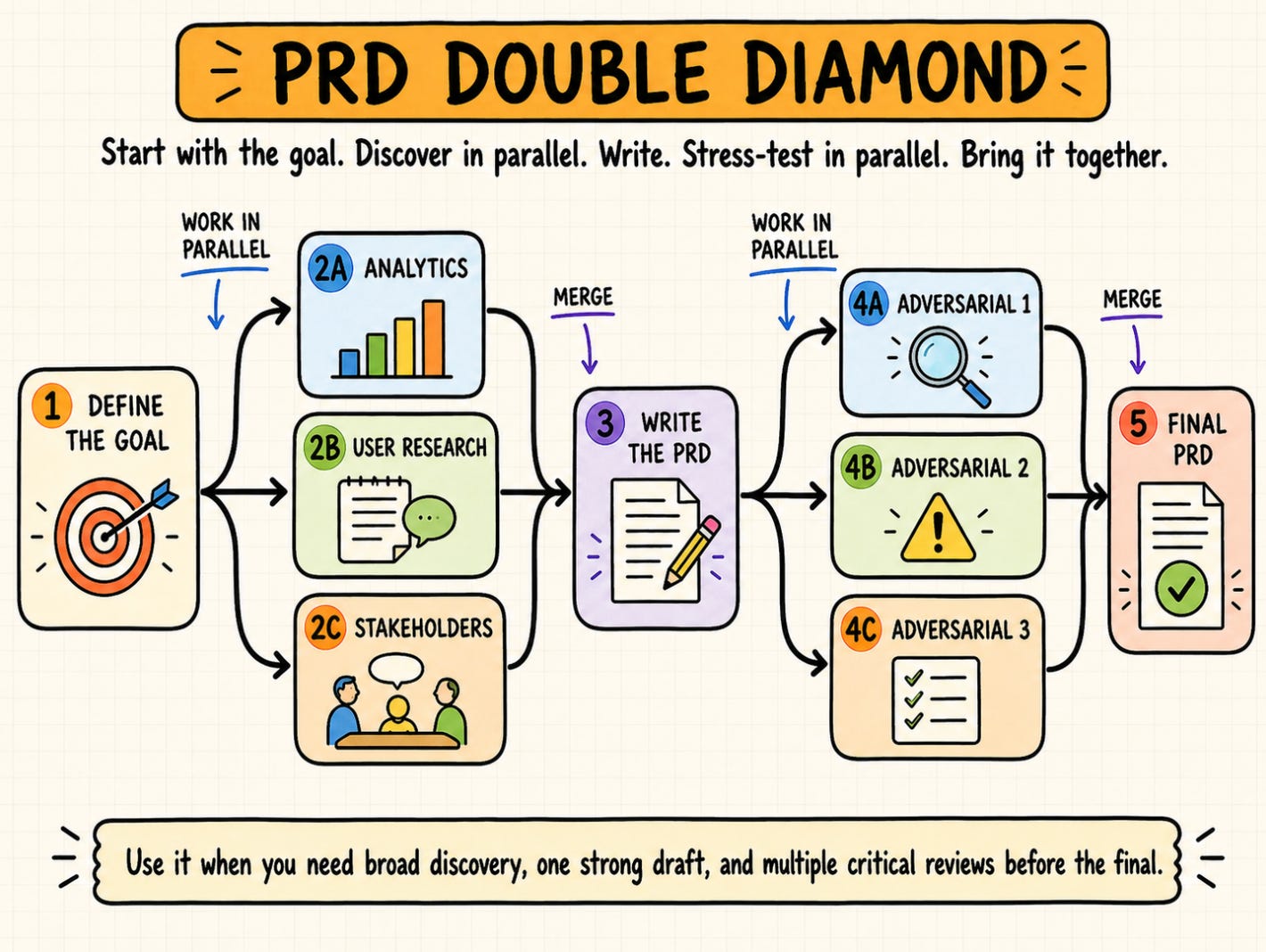
You can then monitor specific agents as they work. For instance, here’s the discover analytics agent:
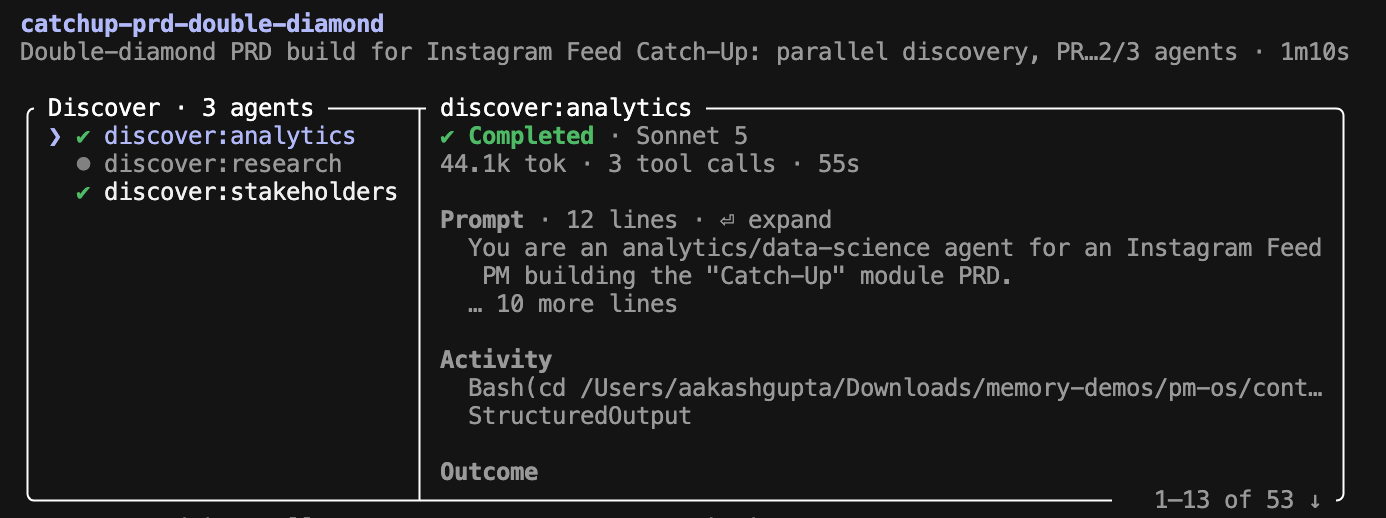
Eventually, you get an output that is the result of many agents working for you, instead of a single agent.
It’s that simple!
If you’ve been reading lots of my content, we’ve been building graphs for a while. Now, you have a name for it.
Want to go deeper? I have a deep dive coming out in Product Growth soon.
Me Around the Web
That’s all for today. See you next week,
Aakash
P.S. Want my AI tool stack? Join my bundle. Want my job search coaching? Apply to my cohort. Next one starts in August.