
Think about this for a second. Every AI interaction you’ve had for three years started with you explaining what’s on your screen to a model that cannot see your screen. You left your work, opened a tab, translated what you were looking at into words, got an answer, and went back. Farza fixed that with Clicky and Google fixed it the same week with 50 years of cursor research behind them.
That’s today’s deep dive.
But first, a word from our sponsor and the week’s AI news.

LogRocket: The Replay AI That Actually Found My Bug
I ran an eval on my own site this week - landpmjob.com. Same 10 questions, two replay AIs head-to-head: LogRocket Galileo vs PostHog Max.
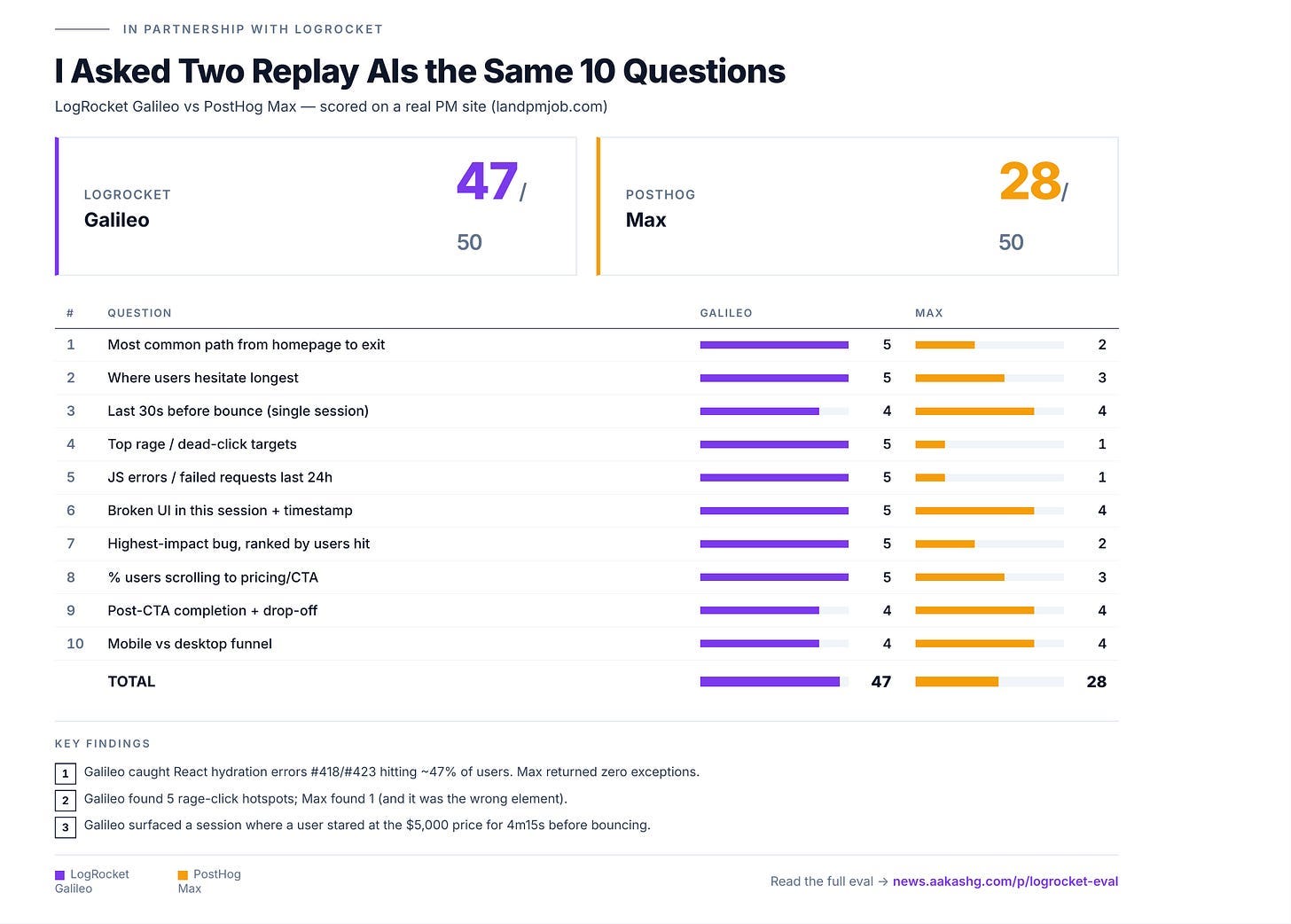
The gap came from one question: “what’s the highest-impact bug right now?”
Galileo flagged React hydration errors #418 and #423. They hit ~47% of users and broke my Apply Now buttons across header, pricing cards, and FAQ accordions. Max returned zero exceptions. Same site. Same window. (PostHog’s exception capture is opt-in.)
LogRocket auto-captured the most expensive bug on my site without me asking. That’s the eval.
P.S. The full writeup includes all 10 questions, the scoring rubric, and screenshots of both AIs answering each one. If you’ve been wondering whether your replay AI is actually finding bugs or just sounding smart, this is the data.

There’s a billion AI news articles every week. Here’s what actually mattered:
The Week's Top News: Google Just Declared the Chromebook Era Over
Fifteen years ago, Google built the Chromebook for a cloud-first world. This week, they announced the Googlebook, and it replaces everything the Chromebook stood for.
But the real story is not the OS. Google's own senior director said it plainly: "We are moving from an operating system to an intelligence system." The Googlebook ships with a feature called the Magic Pointer. You wiggle your cursor over anything on screen and Gemini instantly surfaces what you can do with it. Hover over a date in an email, it offers to create a meeting. Select two images, it composites them together. Point at a flight confirmation, it adds the trip to Calendar. Your cursor has done exactly one thing for 40 years: point and click. Google just turned it into an AI agent.

Bigger picture: this is the most aggressive move anyone has made in the AI PC war. Microsoft spent two years bolting Copilot onto Windows as a sidebar. Apple reserved Apple Intelligence for its own silicon. Google went OS-level from the start, built Gemini into the cursor itself, and got Acer, ASUS, Dell, HP, and Lenovo all lined up for fall 2026 devices. There is even a Glowbar on the lid that lights up when Gemini is active. You will know the difference immediately.
Here’s where I land: the Chromebook worked because it was simple, cheap, and hard to break. The Googlebook is targeting the exact opposite market, premium pricing, premium hardware, and Gemini at every interaction layer. That is a harder sell. But if Google executes and the Magic Pointer actually feels as good in practice as it looks in demos, this is the most interesting laptop category to launch since the iPad blurred the line with tablets.
The Other News That Mattered
Google launched Gemini-3.5-Flash at Google I/O and it’s one of the most underwhelming releases from a major lab in some time. It’s fast, but it doesn’t move any benchmarks forward.
SpaceX released its S-1 in which we learned Anthropic is paying SpaceX $1.25B per month for compute. We have a new hyperscaler, and it’s already at $15B ARR.
Claude for Small Business launched this week with 15 ready-to-run workflows inside QuickBooks, PayPal, HubSpot, Canva, and Docusign. No extra cost beyond your existing subscriptions. Small businesses are 44% of U.S. GDP but have been the last to use AI past the chat window. This is Anthropic’s direct fix for that.
xAI launched Grok Build, a terminal-based coding agent competing directly with Claude Code. Plan Mode, parallel subagents, 2M token context window. The catch: it’s locked behind SuperGrok Heavy at $300/month. Elon pushed it hard on X, but at that price, most developers are staying put.
Claude Code shipped agent view in research preview. One unified list of all your active sessions. Small feature, but if you’re running multiple agents at once, it’s the organizational layer that was missing.
Resources
Thariq’s piece on HTML over Markdown for agent output hit 12.3M views for a reason. HTML renders tables, SVGs, and interactive layouts where Markdown just gives you text. Worth reading if you’re building anything with Claude Code.
The Claude Code team’s thread on /goal, /loop, and /schedule is the best explanation of how to keep agents running without babysitting them. Set a condition, Claude checks it every cycle, stops when it’s done.
Tools
Anthropic shipped 12 legal workflow plugins inside Claude Cowork this week, covering commercial counsel, employment law, and litigation, plus MCP connectors to Westlaw and Everlaw. Legal is already the number one job function inside Cowork.
Codex is now in the ChatGPT mobile app in preview. Start tasks, review outputs, steer execution from your phone while Codex keeps running on your machine.
Funding
Isomorphic Labs led by Demis Hassabis raised $2.1B in a Series B led by Thrive Capital, with Alphabet, GV, Temasek, and the UK Sovereign AI Fund. The company designs drug molecules from scratch using AI, building on the AlphaFold foundation. They're targeting human clinical trials by end of 2026. If that happens, it's one of the most important things that occurs in science this year.

I Stopped Switching Tabs to Claude. Here’s Why.
The chatbox was never the right interface.
Think about how you actually use AI today.
You’re editing a video. Or writing something. Or trying to figure out a setting inside a tool you’ve been using for years. You have a question. So you leave what you’re doing, open a new tab, go to Claude or ChatGPT, describe what you’re looking at to a model that cannot see it, read the answer, go back, try to find where you were.
You do this twenty, thirty times a day. I counted mine once. It was embarrassing.
The hidden cost is that you’ve been trained to save up questions instead of asking them, because asking them is annoying. Every tab-switch is a small interruption you’ve absorbed so fully you stopped calling it one.
Three years of this, and until this week, I hadn’t seen anyone seriously question the interface itself.
Two Things Happened the Same Week
Farza, possibly the most talented solo builder I know, shipped something called Clicky. It’s a free macOS app that lives in your menu bar, next to your cursor. He built it in three weeks. Here’s the demo.

Here’s what it actually does.
When you hold Ctrl+Option and ask a question out loud, Clicky takes a screenshot of your screen and pairs it with your voice. Both go to Claude at the same time. Claude responds by voice and, when it needs to point at something, it sends a blue animated triangle flying to the exact spot.
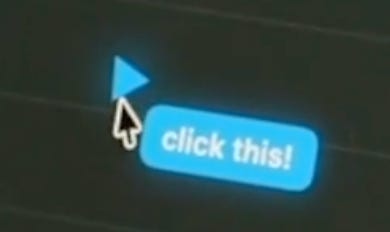
You never open a new window. You never describe your screen. You never lose your place.
Unlike Claude where you pick a project, pick a context, figure out which thread applies, here you just speak. Clicky figures out where to route it, what context to pass, and how to respond. You never specify anything.
The onboarding is the best I’ve seen from any AI product. Most companies ship a tour. Farza ships a moment. You feel it working before you’ve finished setting it up.
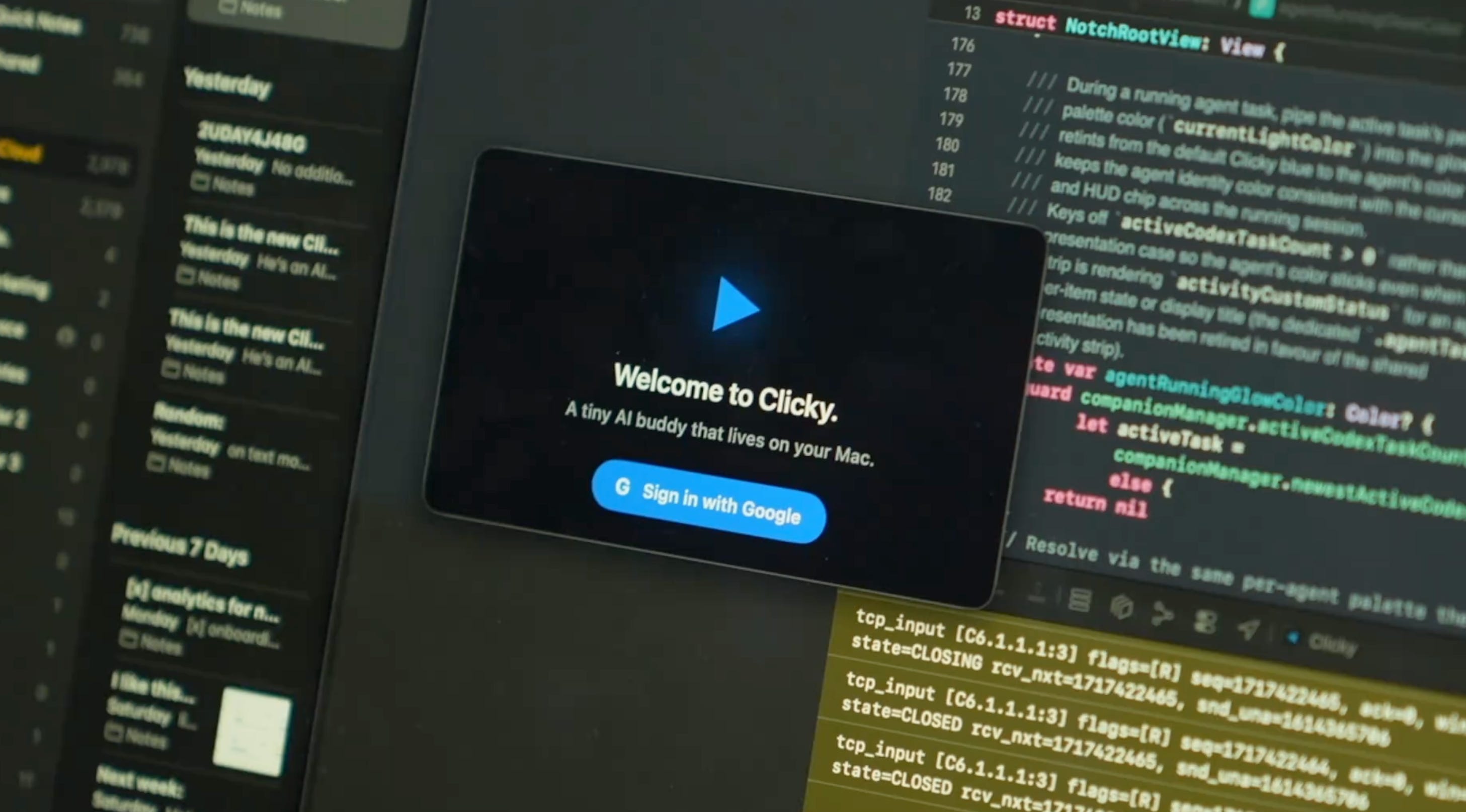
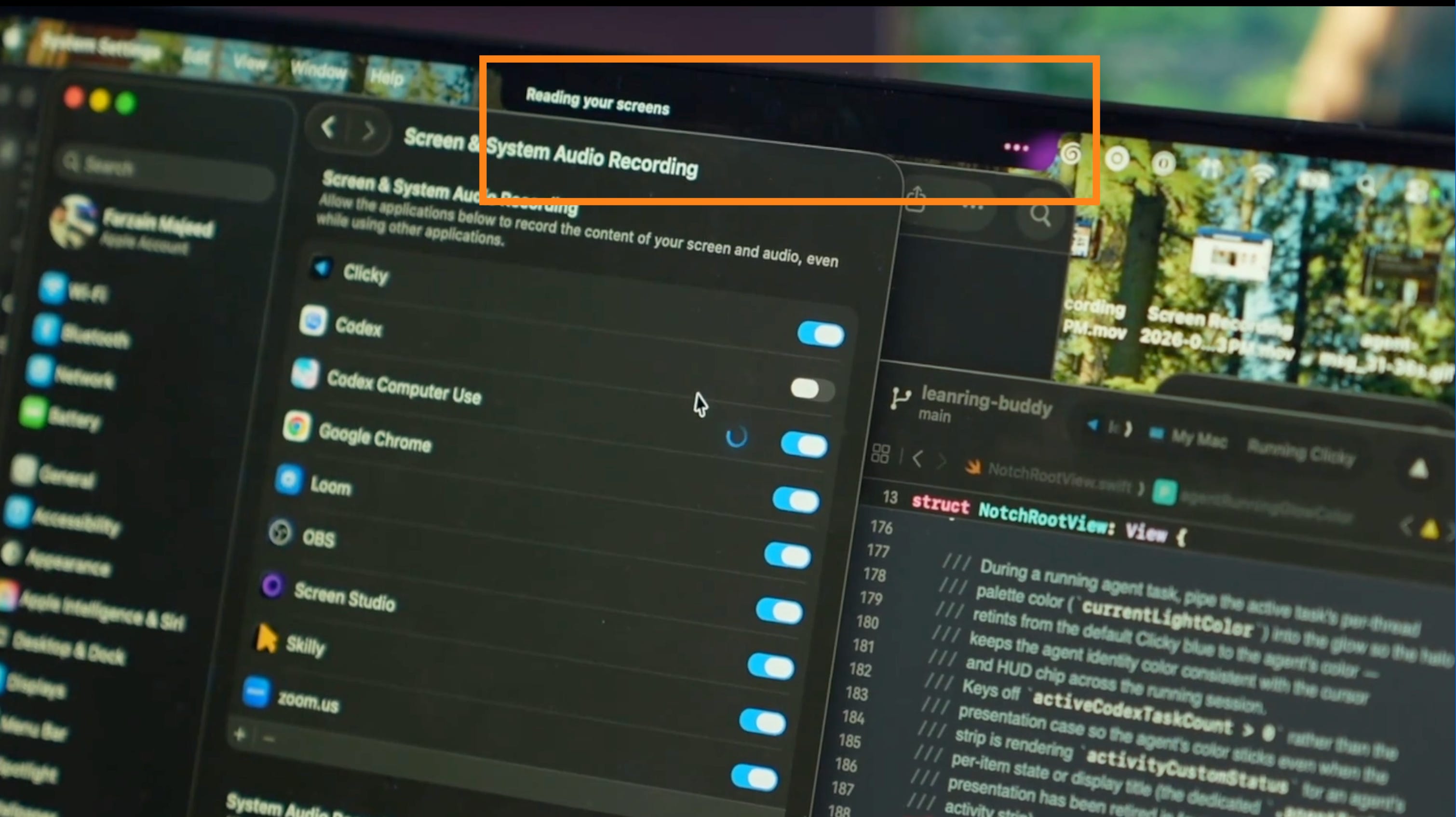
One thing I want to be honest about upfront: Clicky sees your screen constantly. For personal use that’s fine. For anything work-sensitive, think carefully about that before putting it on a machine with sensitive data. I don’t know how they handle that at scale and I’d want to before using it at a job with strict data policies.
Here’s where I land though: it works. It’s fast. This is the thing I’ve always wanted from AI apps on Mac and didn’t know how to ask for.
Then Google Showed Up With the Same Idea
Two days after Farza’s demo hit three million views, Google DeepMind published research on something they’re calling Magic Pointer.

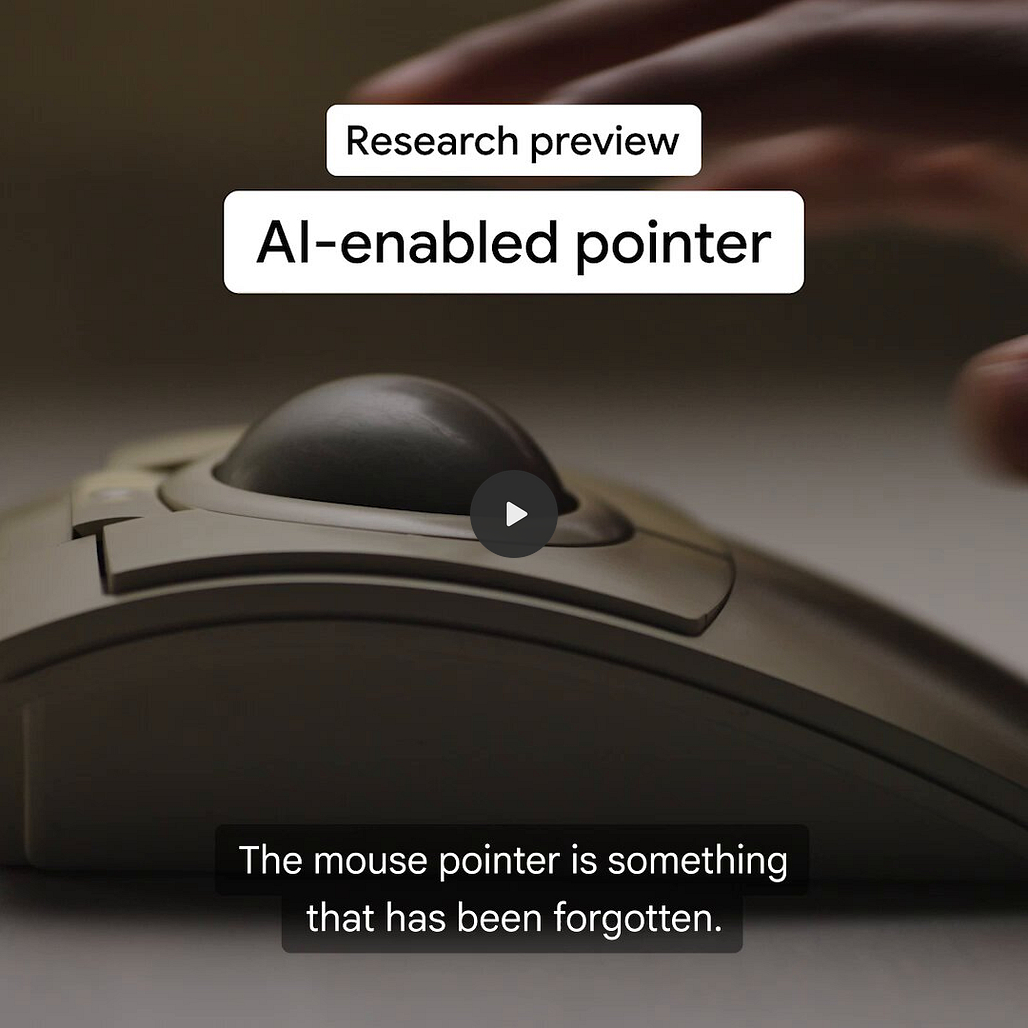
They called it the first major rethinking of the mouse cursor in more than 50 years. Their framing is almost word for word the same problem Farza solved: AI tools live in separate windows and users have to leave their context to get help. Magic Pointer puts intelligence at the cursor itself. The prompt is a gesture.
Their demos show a user watching a video of Tokyo restaurants, dragging the cursor across a restaurant sign on screen, and Gemini booking a table for that evening. The cursor does the search. The voice does the booking.
This is also shipping to hardware. Google killed ChromeOS and launched Googlebook, an Android-powered laptop where Gemini is baked into the OS and Magic Pointer turns the cursor into an agent. Autumn 2026. This isn’t research anymore.
A solo builder and the world’s best-resourced AI lab, independently, the same week, both answering the same question the same way. That’s not a coincidence. Farza’s answer and Google’s answer are the same: stop making the user go to the AI. Bring the AI to where the user already is.
Setting It Up
Go to clicky.so and download the app
Install and open it on your Mac
Grant screen access and microphone permissions when prompted
Hold Ctrl+Option and ask your first question out loud
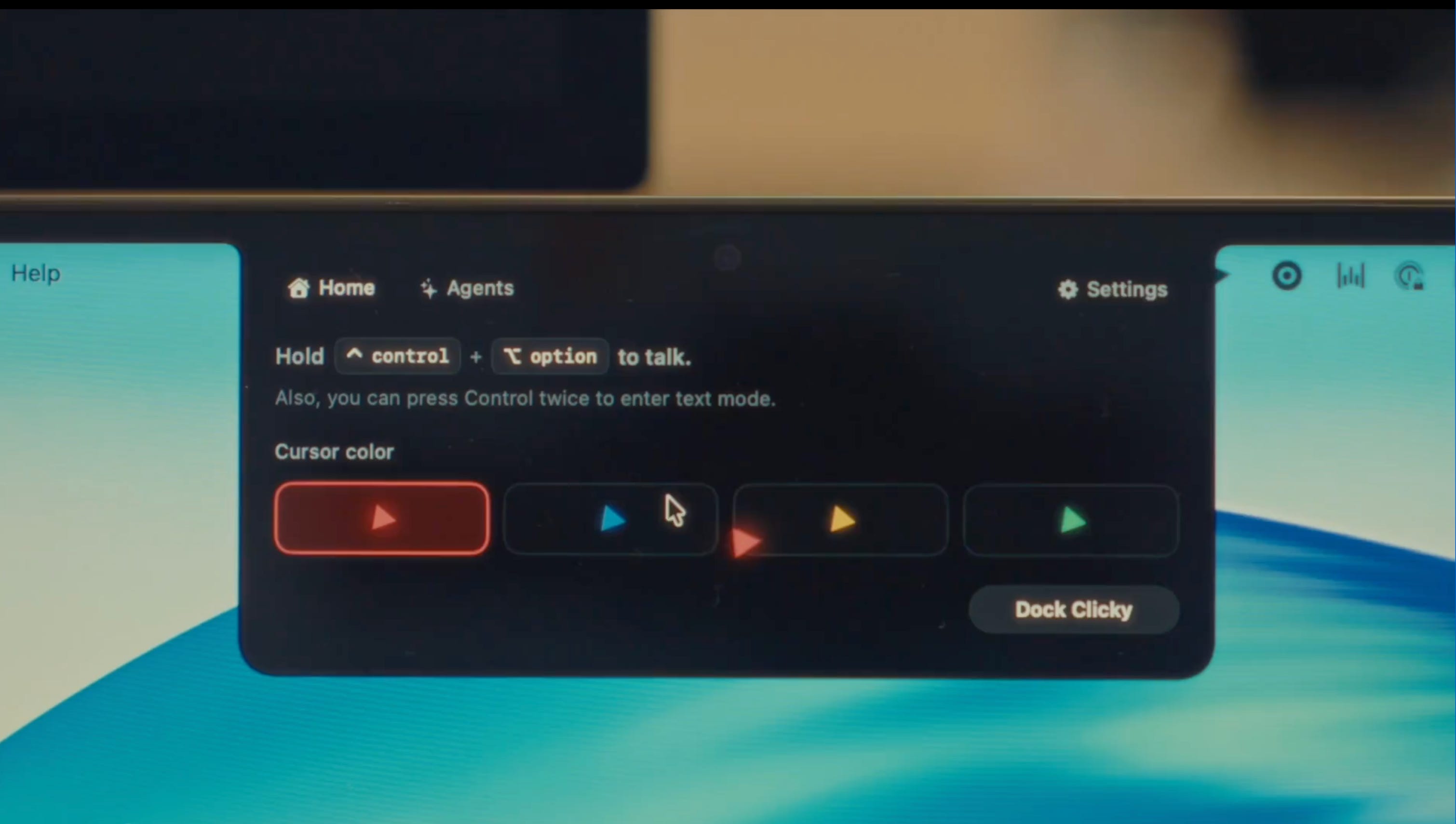
You're live. No account, no API key, no model selection needed.
One caveat: Clicky is Mac only right now. A Windows version is in the works.
What You Can Actually Do With It
There are two buckets where Clicky earns its keep. Learning tools that normally defeat you, and getting things done without breaking your flow.
Learning tools that used to defeat you
Most complex software has the same problem: the help lives somewhere else. The tutorial is on YouTube. The documentation is in a second tab. The moment you switch away, you lose the context you were in.
Clicky fixes this by being the help, inside the app.
DaVinci Resolve. One of the most complex creative interfaces on the planet. The old way: YouTube tutorial in one window, app in another, pause, switch, try to find the thing the video just showed, switch back, rewind, repeat until you give up and close both. With Clicky, you stay inside DaVinci, ask out loud how to add a keyframe, and the triangle flies to the exact slider. You try it, fail, ask what went wrong, it explains and points again. The loop of doing, failing, and getting unstuck without leaving the app is how people actually learn things.
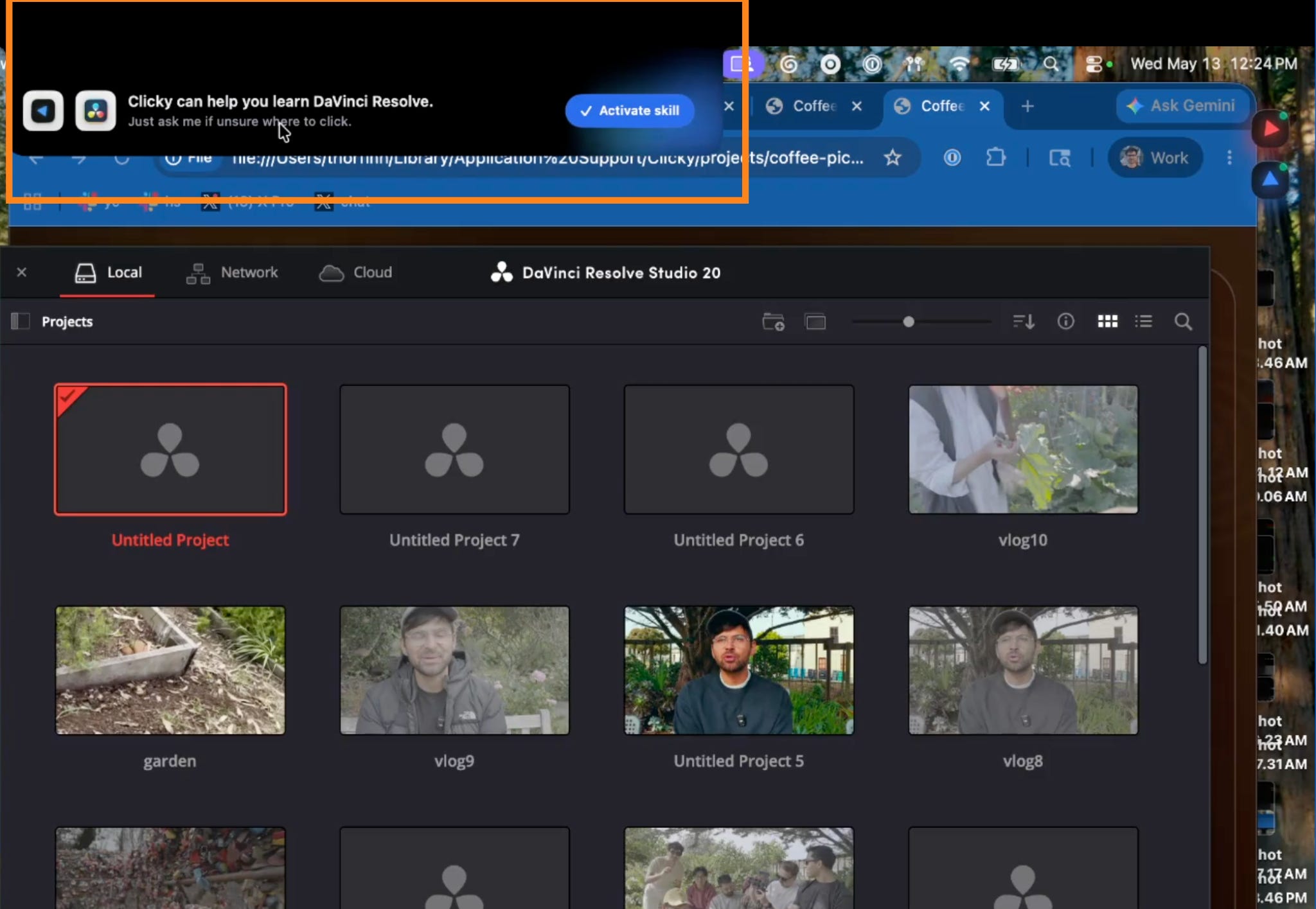
Blender, Figma, Photoshop, After Effects. Same pattern. Any tool dense enough that you’ve ever needed a tutorial running in a second window. Clicky collapses that second window into a voice command.

Any setting you’ve been ignoring. You know the ones. The preference you’ve been meaning to configure for six months. The export setting you never understood. Ask out loud, triangle points at it, you’re done.
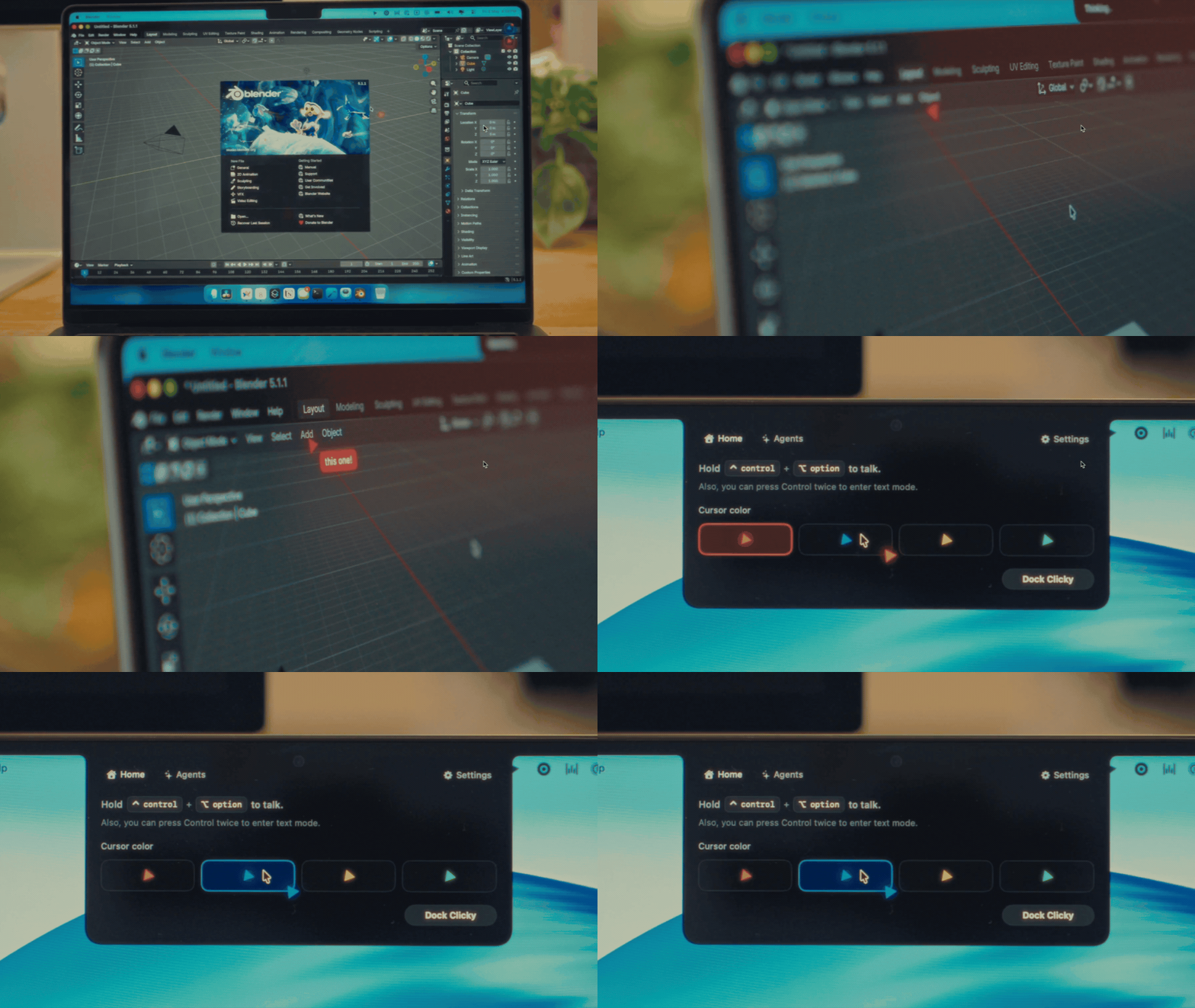
Getting things done without breaking your flow
The smaller everyday tasks surprised me more than the learning ones. This is where Clicky starts to feel less like a tool and more like delegation.
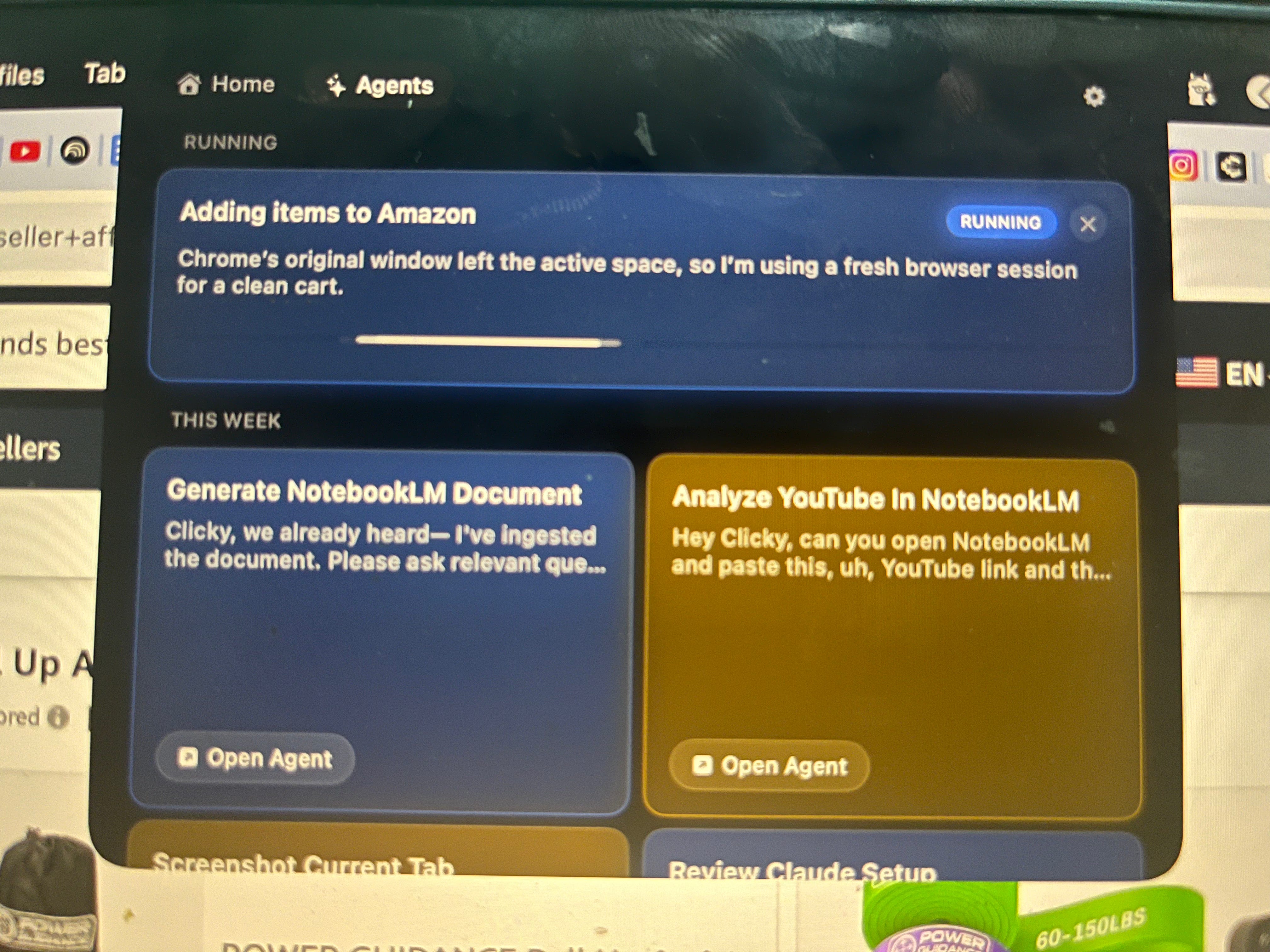
Shopping. The shopping demo felt gimmicky to me at first. But watching Clicky navigate to Amazon, search for resistance bands, and add them to a cart while you’re still looking at your home gym is a different thing to read about than to see. Say “order resistance bands and creatine from Amazon.”
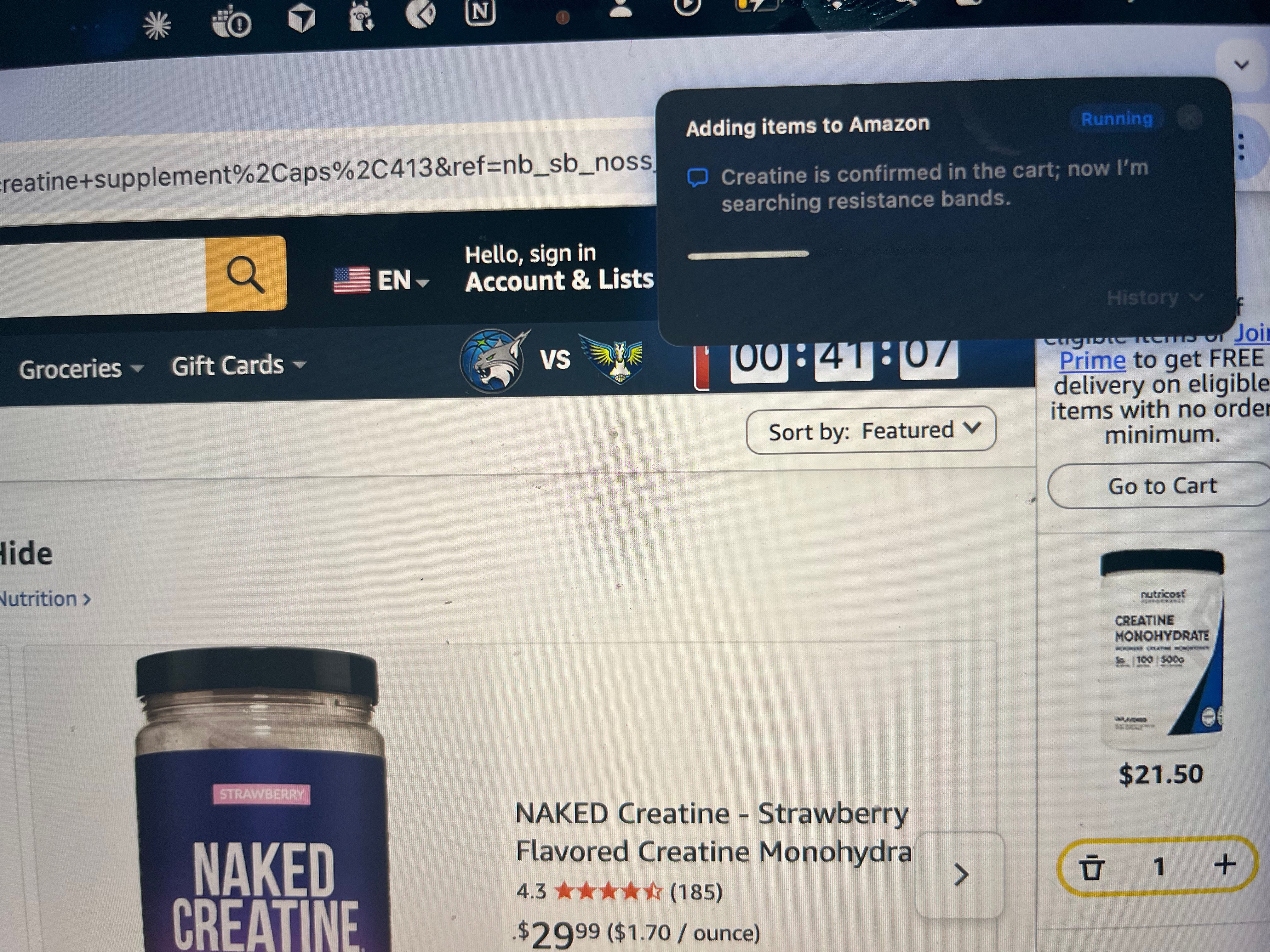
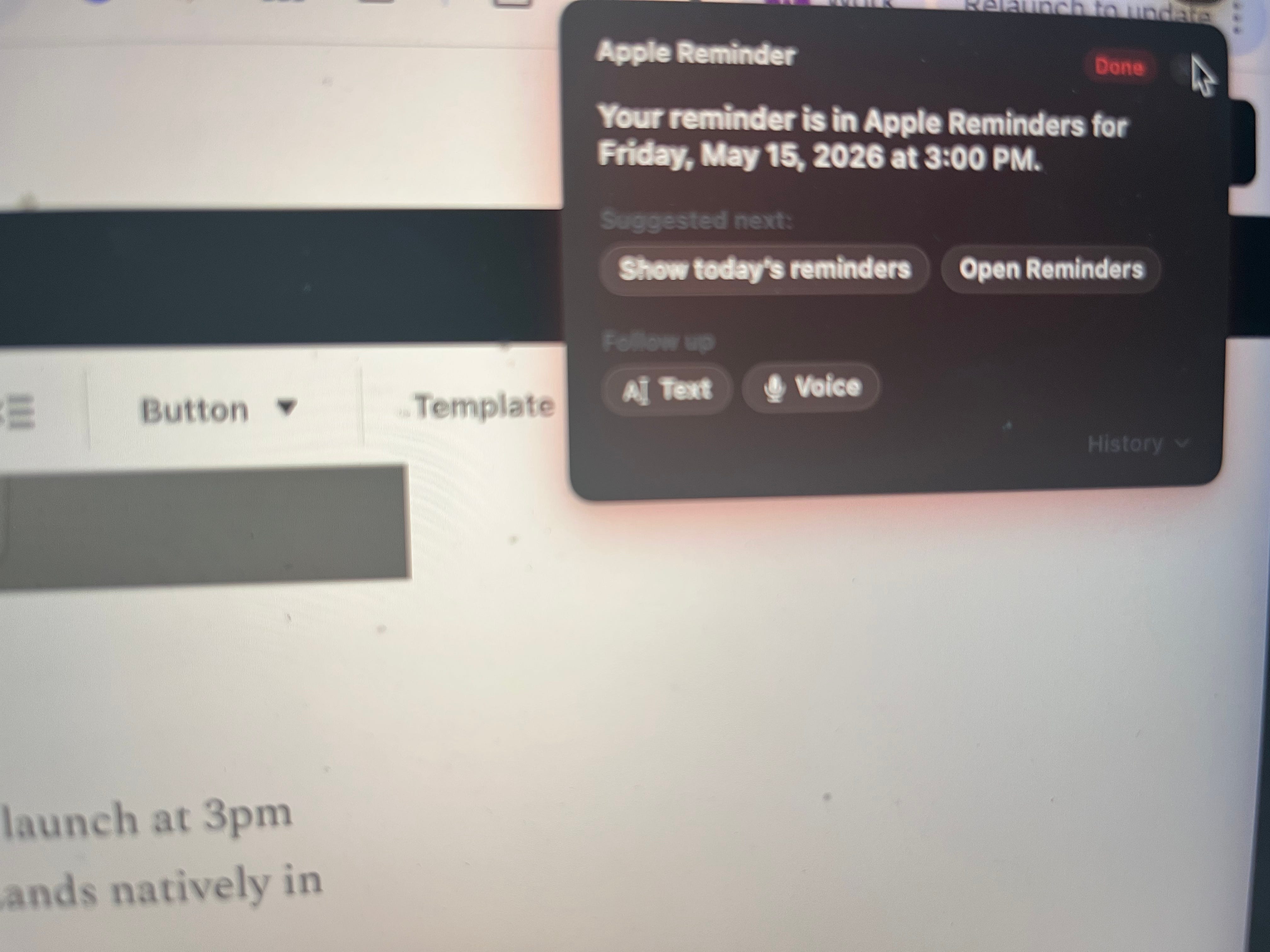
Reminders. “Remind me about the Sam call at 3pm tomorrow” while you’re looking at whatever triggered the thought. Lands natively in Apple Reminders.
Messages. Look at your calendar, say “write a WhatsApp message to block time with a client.” Hear the draft. Approve it. Done.
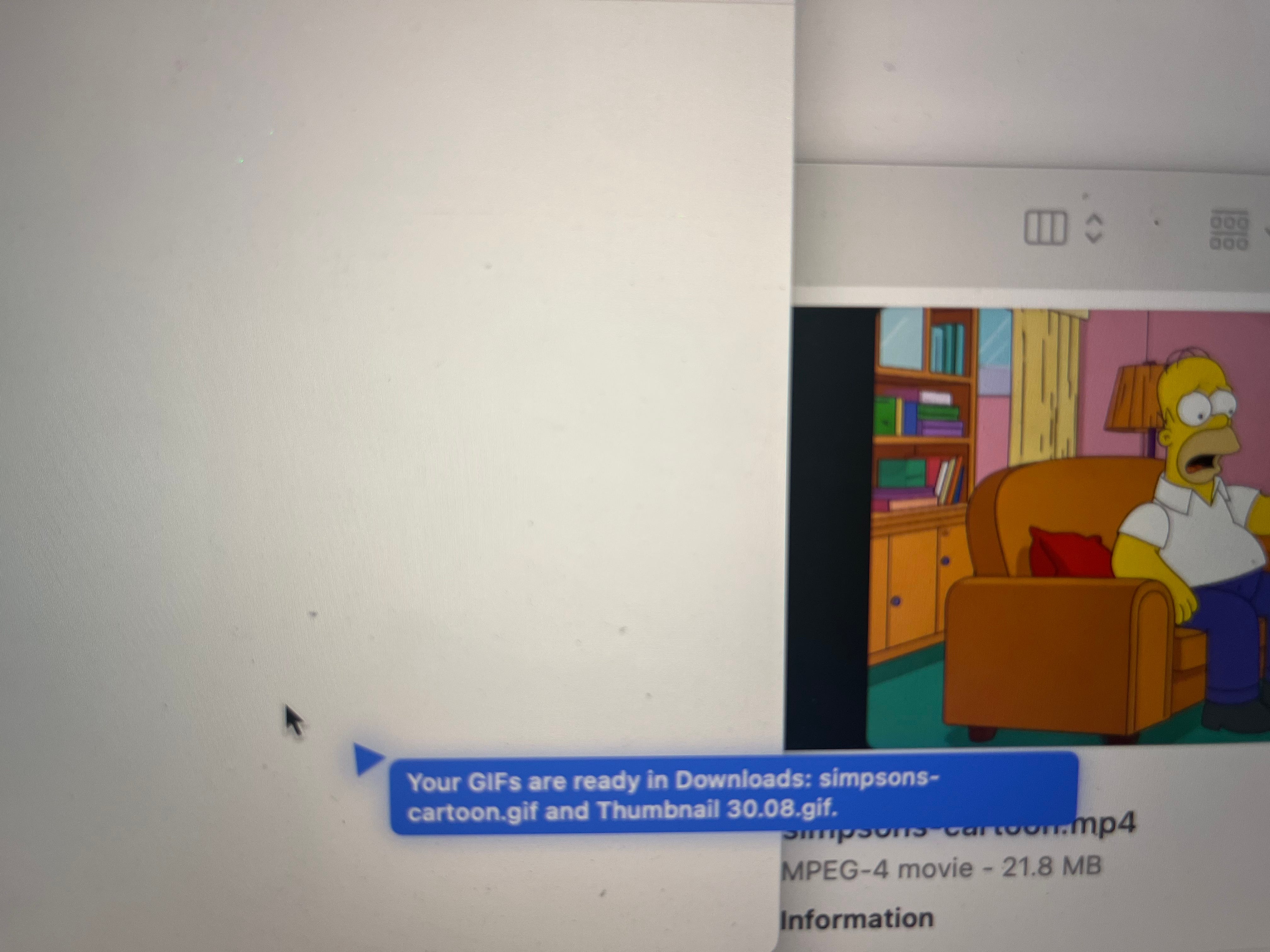
GIFs. Farza demoed building one from scratch through voice alone. No tool opened manually.
One thing that makes all of this work: the memory holds your last ten exchanges. When you ask “what about the other one,” it knows what you mean. You’re actually having a conversation inside your workflow, not restarting a session every time you have a follow-up.
Why the Eight-Second Interaction Is the Whole Point
Every AI product built in the last three years put AI somewhere you had to go. The sidebar. The tab. The assistant panel. Intelligence was a destination.
What Clicky and Magic Pointer are both showing is that the real interface is your screen. AI doesn’t need its own window. It needs to see what you already see and respond where you already are.
The interactions that keep me reaching for Clicky are the eight-second ones, the quick clarification while I'm already in something. The question I would have saved for later and then forgotten.
Going from two minutes of tab-switching to eight seconds of speaking changes something deeper than time: it changes how often you’re willing to ask for help at all. That’s not what anyone built for. It probably should have been.
I don’t know yet how Clicky handles privacy at scale. I don’t know if Apple builds this natively into macOS and wipes out everyone else who tried it first. I don’t know if Google can ship a cursor-native experience inside their existing products or if it ends up as another panel bolted onto the side.
What I do know: the people using this now will feel the gap every time they switch tabs for the rest of the year.
If you build products or want the deeper take on what the spatial interaction means for AI product design, I go deeper on that later this week in Product Growth.

1/ A 28-year-old walked into a chiropractor for lower back pain. She left with four dissected arteries, a stroke, and cardiac arrest. It took nine months for her to say “Mom” again. The back pain was four vertebrae below the artery the thrust tore. 1 in 20,000 manipulations triggers this. There is no screening test to identify who’s at risk beforehand. Nobody tells you that before you book the appointment.


2/ Costco has the highest-resolution recession sensor in America. The median Costco household earns above $125K. When that household trades beef for canned tuna, the upper-middle class is admitting their balance sheet changed. A category buyer sees that protein shift in POS data within 48 hours. NBER won’t call the recession official for another 6-21 months. The economists are always last.
3/ Four crocodiles are living in the middle of the Sahara, genetically isolated since the desert was green, somewhere between 5,000 and 15,000 years ago. The water they live in is black with camel dung. The food chain runs camels to dung to algae to fish to crocodiles. Without the herders, the crocodiles starve. Four females. All that’s left of a species that once lived across the entire desert.
4/ When you check in for a flight, one button triggers three systems simultaneously: revenue management locks your seat, TSA runs your name against the No Fly List in real time, and the captain gets your weight for takeoff speed calculations. Check in late on an oversold flight and you move to the front of the involuntary bump queue. I had no idea that button did all of that.
That’s all for today. See you next week,
Aakash
This post is totally free. Share or forward to your friends:
P.S. Want my AI tool stack? Join my bundle. Want my job search coaching? Apply to my cohort.
Wow ! Things are changing at light speed... that's phenomenal !! 💪
https://www.linkedin.com/posts/activity-7465298497747984384-YdKy?utm_source=share&utm_medium=member_android&rcm=ACoAACVOIOABpcFXrAJtb0LAFXABnnterLgxh5E