
Two of the biggest visual AI launches happened this week:
OpenAI shipped ChatGPT Images 2.0 - the first image model that actually holds up in a real work workflow. Clean typography, precise layouts, 2K resolution. The memes were everywhere but the real story is what it does with dense documents and UI.
Anthropic shipped Claude Design. Not an image generator. Something different. You describe what you want to build, and it hands you back something people can actually click through and navigate in their browser.
Both are worth understanding. The news section covers Images 2.0. Today’s deep dive is your complete guide to Claude Design.

Arize: Close the Eval Gap
If you are building with Claude Code, Arize just shipped Skills that give your agent native knowledge of eval workflows. Install once - Claude Code already knows how to export traces, run experiments, and optimize prompts.
npx skills add Arize-ai/arize-skills --skill '*' --yes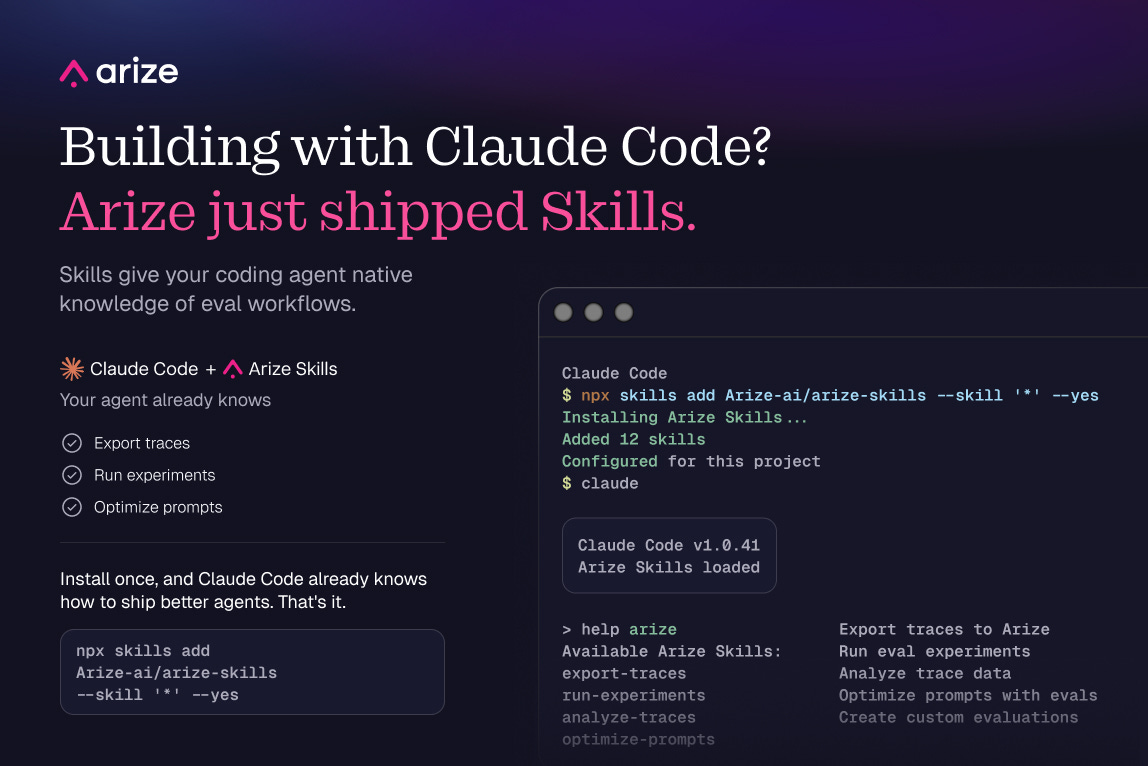
That is the whole installation. One command and your Claude Code agent has native knowledge of the Arize eval stack.
P.S. You can get a full year of Arize’s pro plan for free ($1260 value) with my bundle.

There’s a billion AI news articles every week. Here’s what actually mattered.
The Week’s Top News: ChatGPT Images 2.0 is the best image model anyone has shipped
OpenAI launched ChatGPT Images 2.0 this week.
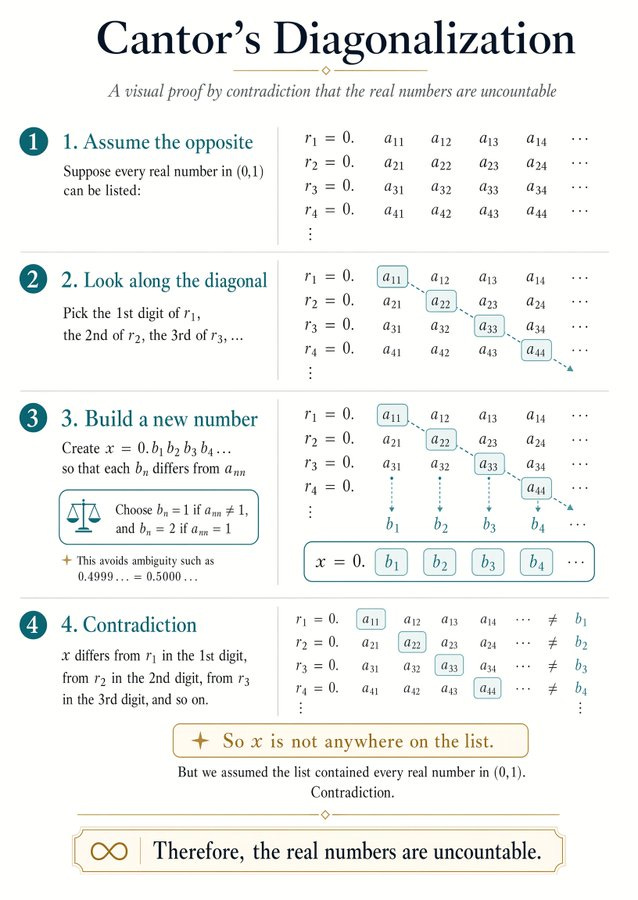
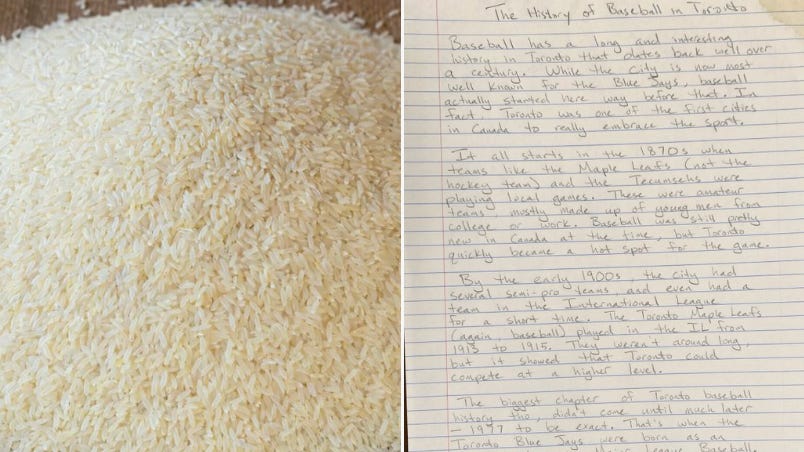
Everyone is fixating on the visual quality. But the real story is precision. Prior image models fell apart the moment you asked for anything dense. Small text turned to mush. Logos warped. UI elements became suggestions. Images 2.0 holds all of it at up to 2K resolution. They demoed a full math explainer with clean typography and stepped annotations. Zoom into the rice in their other demo. It holds down to individual grains.
The other thing that changed: it actually knows things now. Updated knowledge cutoff of December 2025. And when you pair it with a thinking model in ChatGPT, it searches the web in real time, generates multiple variations from a single prompt, and double-checks its own outputs. That’s the model doing the work between your idea and the final image.
Four things worth trying this week:
Pair it with thinking mode first. When you select a thinking model in ChatGPT, Images 2.0 searches the web for real-time information, generates multiple distinct images from one prompt, double-checks its own outputs, and can even create functional QR codes. You're not just prompting an image generator. You're briefing something that researches, drafts, and verifies before it hands you the final visual. Try: "Create a visual breakdown of [topic] using the latest information from [URL]."
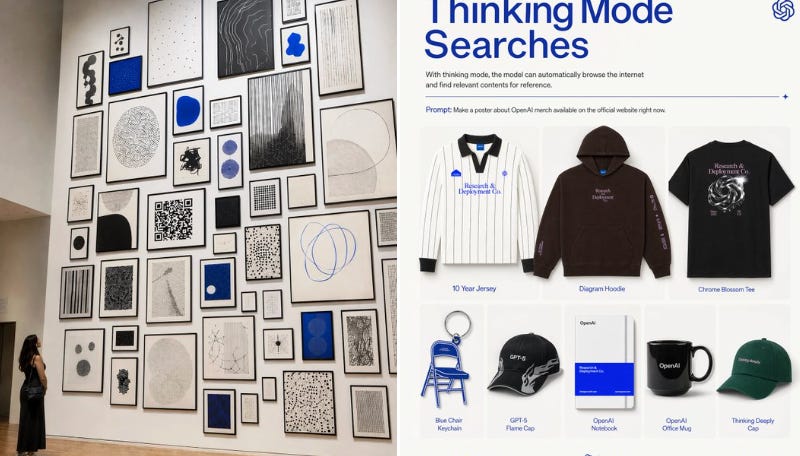
For time-sensitive work, pair it with thinking mode. It searches the web before generating so you don’t have to manually feed it information. Try: “Make a visual breakdown of [topic] using the latest information from [URL].”
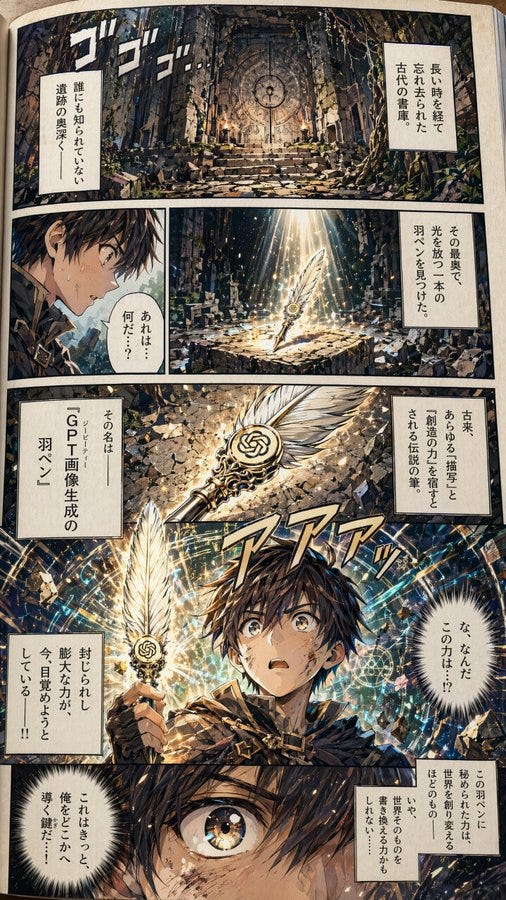
For non-English content, every prior image model mangled non-Latin scripts. This one renders Japanese, Arabic, and Hindi coherently and naturally inside the image. The Japanese manga demo they shipped is the clearest proof. Try: “Create a [social post / infographic] in Japanese for [topic].”
For document-style visuals, it can hold coherent paragraphs of text inside an image without degradation. Useful for anything that needs to look like a handwritten note, a letter, or a detailed written asset.
The Other News That Mattered
GPT-5.5 launched in ChatGPT and Codex, positioned as a new class of intelligence for agentic work. The model story is interesting but the pricing tells you everything. GPT-5 launched at $0.63 per million input tokens. GPT-5.5 is $5.00. That’s an 8x increase in eight months. Every developer paying 2x for inference is directly funding the products now competing with their own. Think about that for a second.
Workspace agents launched in ChatGPT, shared teammates that run long workflows across tools and teams, even when you’re offline. This puts the same pattern Notion built in front of 900 million weekly users and 7 million paid workplace seats. My take: every mid-tier SaaS AI SKU just got 18 months shorter.
SpaceX secured the right to buy Cursor for $60B later this year, or pay $10B to walk away. The strategic logic is Colossus: a million H100-equivalent GPUs that need a software reason to exist. Elon bought a one-year call option on the best coding AI in the market. That’s the whole deal.
Claude connected to 15 new apps this week: Tripadvisor, Booking.com, Instacart, Spotify, TurboTax, Uber, Thumbtack, and more. Every single company on that list built their business by aggregating supply. Now AI is aggregating them. And they’re lining up to let it happen. Thumbtack handed Claude access to 300,000+ service businesses. Intuit connected TurboTax. These aren’t API partnerships. They’re customer relationship transfers
Resources
If you’re tracking whether LLMs are the endgame, read this. LeCun left Meta, started AMI Labs, and just shipped LeWorldModel - 15M parameters, single GPU, 48x faster planning than foundation-model alternatives. One regularizer replaced years of engineering hacks. It learned physics without being told physics existed.
If you’re deploying agents at work, send this to your security team now. Google DeepMind mapped six ways to hijack AI agents - not by touching the model, but by corrupting what it reads. Exploit rates hit 86% in tests. The attack surface isn’t the model. It’s the internet.
Tools
Cowork now builds live dashboards connected to your apps and files. Tableau is $75–$115/user/month. Looker starts at $30K/year. Claude Pro is $20/month. The BI seat is starting to compress into a chat message.
Memory on Claude Managed Agents is in public beta. Agents now learn across sessions - tracking tasks, preferences, and context over time. Stored as files, fully exportable, API-managed. This is what makes agents actually useful instead of starting from zero every time.

Claude Design: You Can Now Go From Idea to Something Real Without a Designer
The complete guide to building prototypes, presentations, and launch pages from a prompt.
I have spent years watching people get stuck at the same point. They have an idea. They can describe it perfectly. But turning that description into something they can actually show someone costs money they do not want to spend, time they do not have, or a dependency on someone else’s calendar.
Anthropic just shipped a tool that solves exactly that. You describe what you want. It builds a clickable, shareable, fully interactive version of it in minutes. No design skills. No software to learn. No waiting on anyone.
I have been testing Claude Design this week. Here is what it is and what you can build with it tonight.
Here’s what you need to know:
Today’s Deep Dive
What Claude Design actually is
How to get started - three steps before you build anything
Four things you can build tonight
How to fix the first draft
Where I land
1. What Claude Design Actually Is
Claude Design is Anthropic’s new tool for building visual things without design skills. You describe what you want. It builds a fully interactive, clickable version in the browser. You refine it by talking to it. When you are done, you share a link.
No design software. No waiting for someone else to have availability.
It is included in your existing Claude Pro, Max, Team, or Enterprise plan. Nothing new to buy.
Here is what the output actually looks like. You describe an idea - a landing page for your side project, a presentation for a meeting, an interactive mockup of something you want to build. Claude Design generates it as a live page in the browser. Every button works. Every screen navigates. You share a link and the person on the other end clicks through it like a real product.
What surprised me was what happens after the first draft. You do not restart when something is wrong. You talk to it. “Make the hero section darker.” “The second screen needs a progress bar.” “Change the font.” It adjusts. The canvas is persistent. It remembers everything you have built in the session.
The one thing that changes output quality more than anything else:
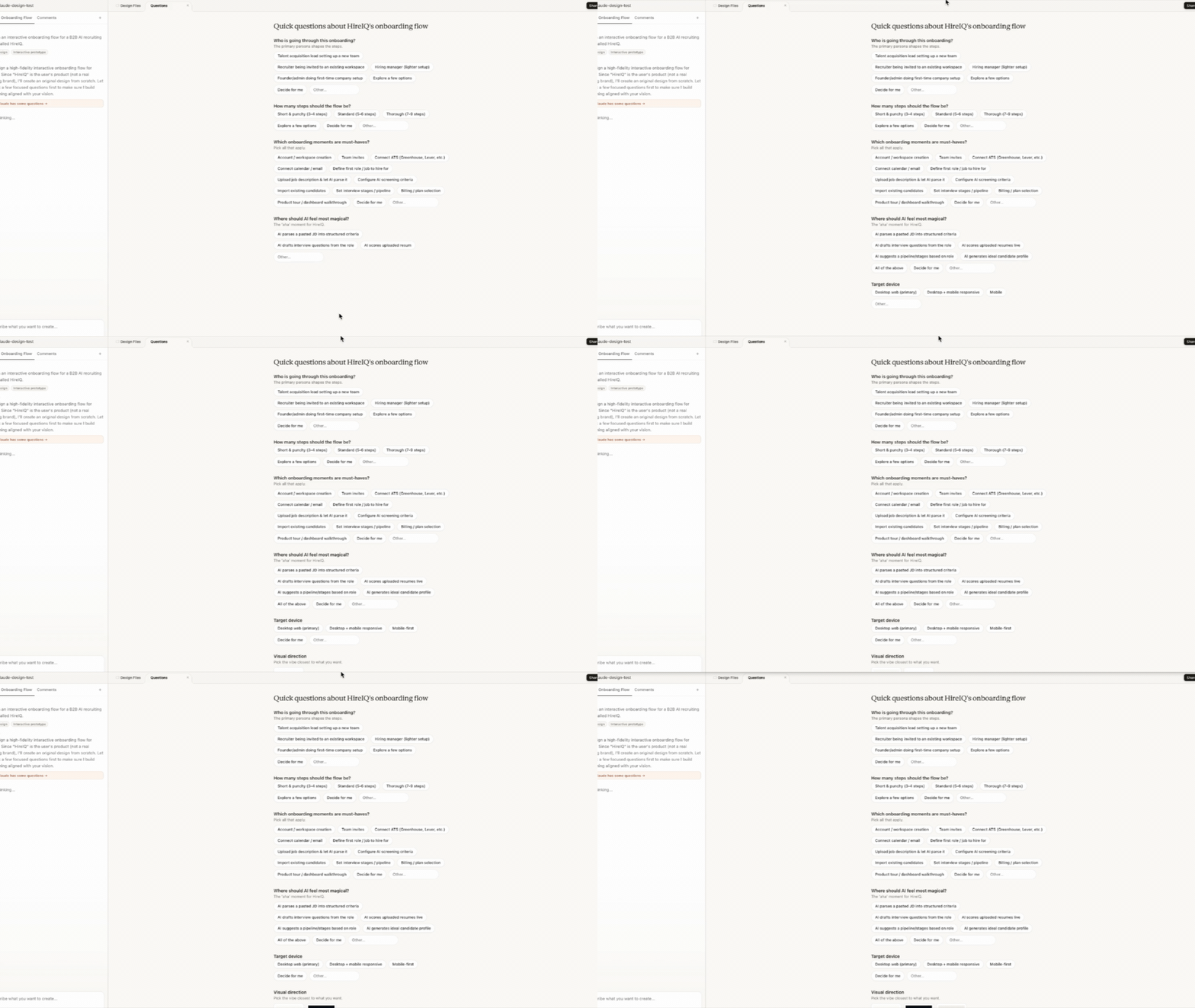
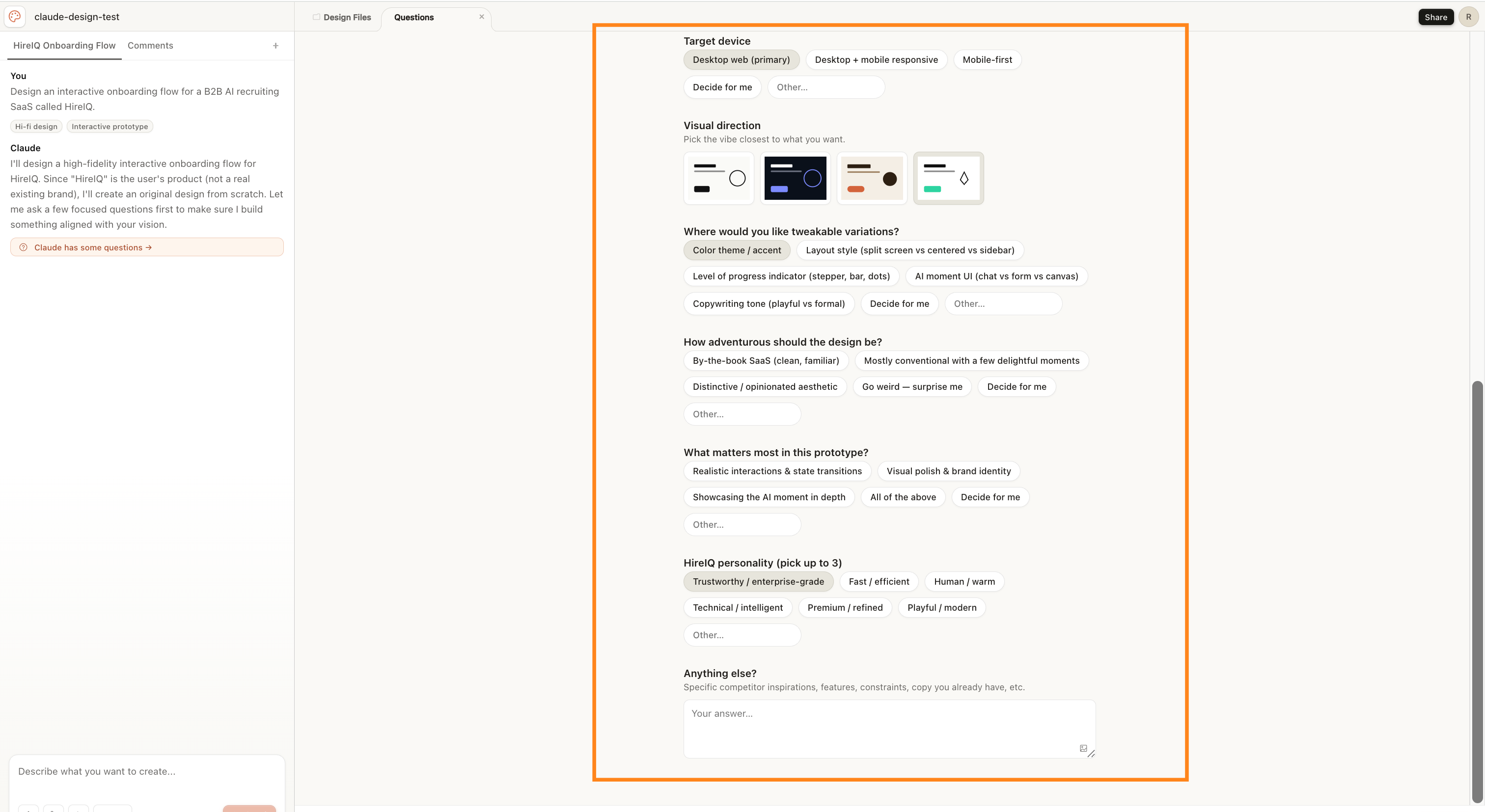
Before Claude generates, it asks you four clarifying questions about visual direction, tone, how adventurous the design should feel, and brand personality.
Most people click through these quickly without thinking. That is the mistake. Pick something bolder than feels safe. You can always pull it back. I did this wrong in my first two sessions. The outputs were technically correct and completely forgettable. When I changed my answers, the first draft was something I actually wanted to show people.
2. How to Get Started - Three Steps Before You Build Anything
Step 1: Go to claude.ai/design
You need a Claude account. Pro plan ($20/month) gives you access. If you already use Claude, you already have it - nothing new to install or sign up for.
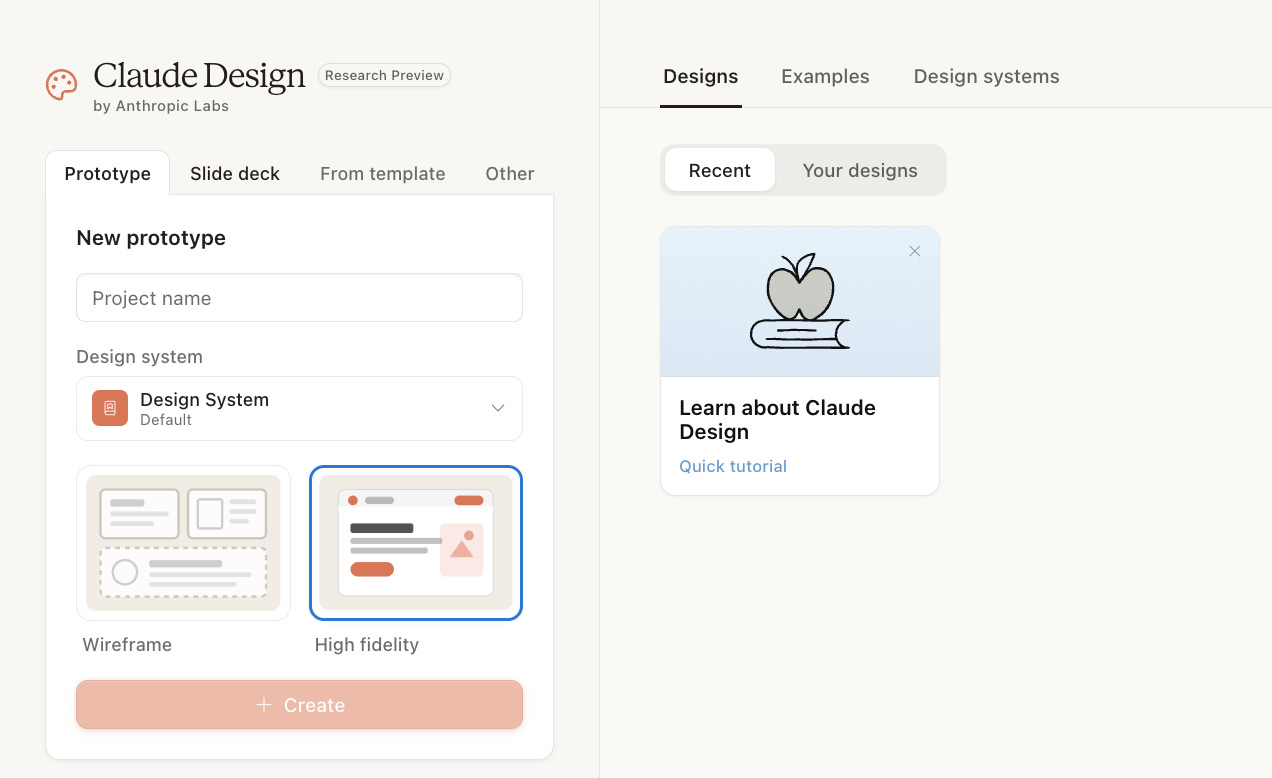
When you land, you will see four tabs across the top: Prototype, Slide deck, From template, and Other.
Prototype is for anything interactive - a page, an app idea, a flow someone can click through
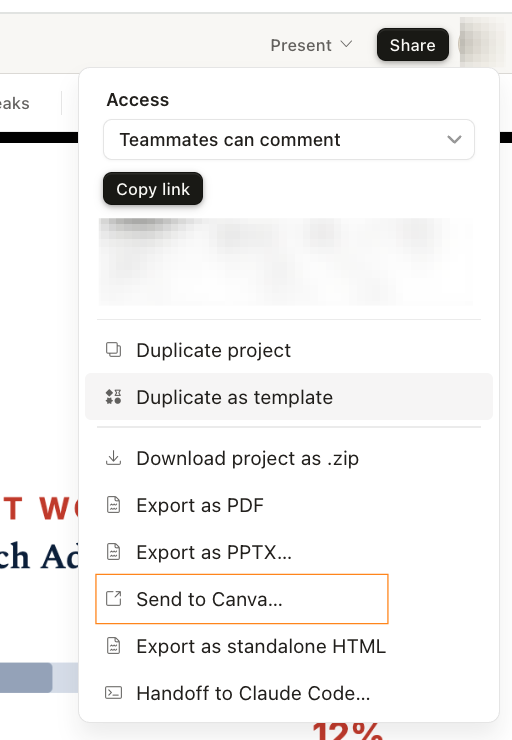
Slide deck is for presentations you want to export as PowerPoint or Canva
From template has one built-in option right now: an animation template for motion-based pages
Other is for anything that does not fit the first two
If you are not sure which one to pick, start with Prototype. It covers almost everything.
Step 2: Pick High Fidelity, not Wireframe
Inside Prototype, you will see two options: Wireframe and High Fidelity. Always pick High Fidelity. Wireframe gives you a rough sketch with placeholder boxes. High Fidelity gives you something that looks designed and feels real. The whole point is to have something you can actually show people.
Step 3: Answer the clarifying questions properly
Before Claude builds anything, it asks you four questions about visual direction and tone. Most people click through these quickly. That is the single biggest mistake you can make.
The question that matters most is how adventurous you want the design. Most people pick “By-the-book” and then wonder why the output looks like every other generic page. Pick something bolder. If it is too much, you can tone it down with one click in the next step. I did this wrong in my first two sessions - the outputs were technically correct and completely forgettable. When I changed my answers, the first draft was something I actually wanted to show people
3. Four Things You Can Build Tonight
A Page for Your Side Project, Newsletter, or Small Business
You have something worth sharing and no clean way to share it. A half-finished Notion page. A Google Doc you keep meaning to turn into something real.
I built a full product page in 10 minutes. Headline, feature grid, social proof section, a call to action. Something that would have taken a designer half a day to commission. I described it in a paragraph and Claude Design built it.
→ Tab: Prototype → Mode: High Fidelity
Your prompt:
Build a landing page for [what you do or make].

Audience: [who it is for]

Three things the page needs to communicate:
1. [what it is in one sentence]
2. [why someone should care]
3. [what you want them to do next]

Sections: hero, 3 key points, a simple call to action

Visual direction: [clean and simple / bold / editorial / warm]
Tone: [professional / friendly / energetic]
→ Export: Share → Export as standalone HTML. You get a live URL to share or embed anywhere.
A Presentation That Looks Like You Spent All Week on It
Most people give presentations with slides that signal they ran out of time. Claude Design builds the deck. You write the content.
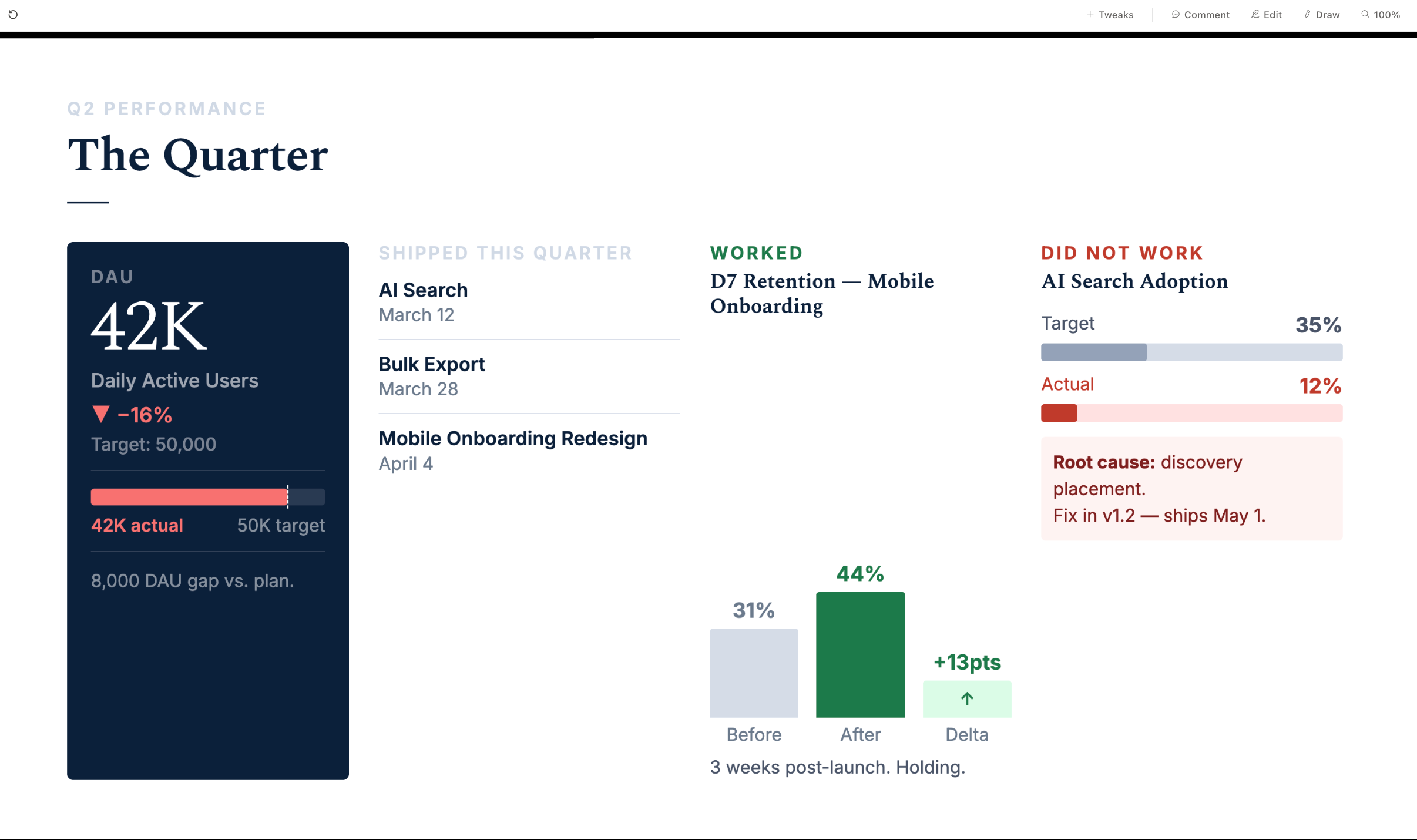
I built a 10-slide deck in 8 minutes. Exported it as PowerPoint. Speaker notes already written because I turned the speaker notes toggle on before generating. Claude put the detail in the notes and kept the slides clean.
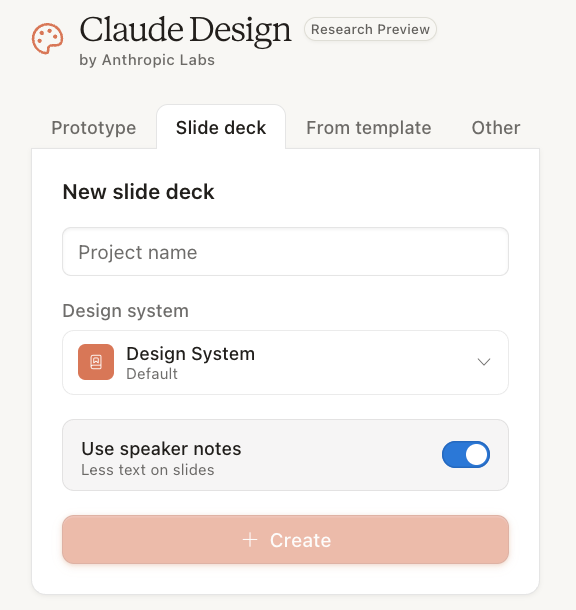
→ Tab: Slide deck
One setting to check before generating: There is a “Use speaker notes” toggle. If you are presenting live, turn it on. Claude puts less text on each slide and writes the spoken detail into speaker notes automatically. If the deck is something people read on their own, leave it off.
Your prompt:
Build a [X]-slide presentation for [audience - a team meeting, a client, a job interview].

Topic: [what this is about]

Slide by slide:
- Slide 1: [title + one-line summary]
- Slide 2: [the problem or context]
- Slides 3-7: [your main points, one idea per slide]
- Slide 8: [results, evidence, or a demo]
- Slide 9: [what you are asking for]
- Slide 10: [close + contact]

Tone: Confident. No filler slides. Every slide earns its place.
→ Export: Share → Export as PPTX for PowerPoint or Keynote, or Send to Canva if you want to keep editing it there.
A Launch Page for Something You Are About to Ship
Side projects, newsletters, events, products. Everything that deserves a real page but cannot justify the cost of one.
I built a launch page with a proper hero section, a before/after comparison, and a call to action in 15 minutes. Then I went further and added an animated video background. That version took 45 minutes total, including generating the video.
For the animated version: generate a short looping video in Kling on the free tier. Upload it to Mux to get a live streaming URL. Then tell Claude Design to use it as the hero background. You can add motion effects by pasting pre-built animation prompts from motionsites.ai - free prompts that handle the CSS and animation work. I tried writing the animation code myself first. Twenty minutes and mediocre results. The pre-built prompt worked on the first paste.
Your prompt:
Build a single-page launch page for [product or project name].

What it does: [one sentence]
Who it is for: [specific person]
What makes it different: [one thing]

Sections: hero, 3 features or benefits, one proof point, CTA

Visual direction: [clean / dark / bold / warm]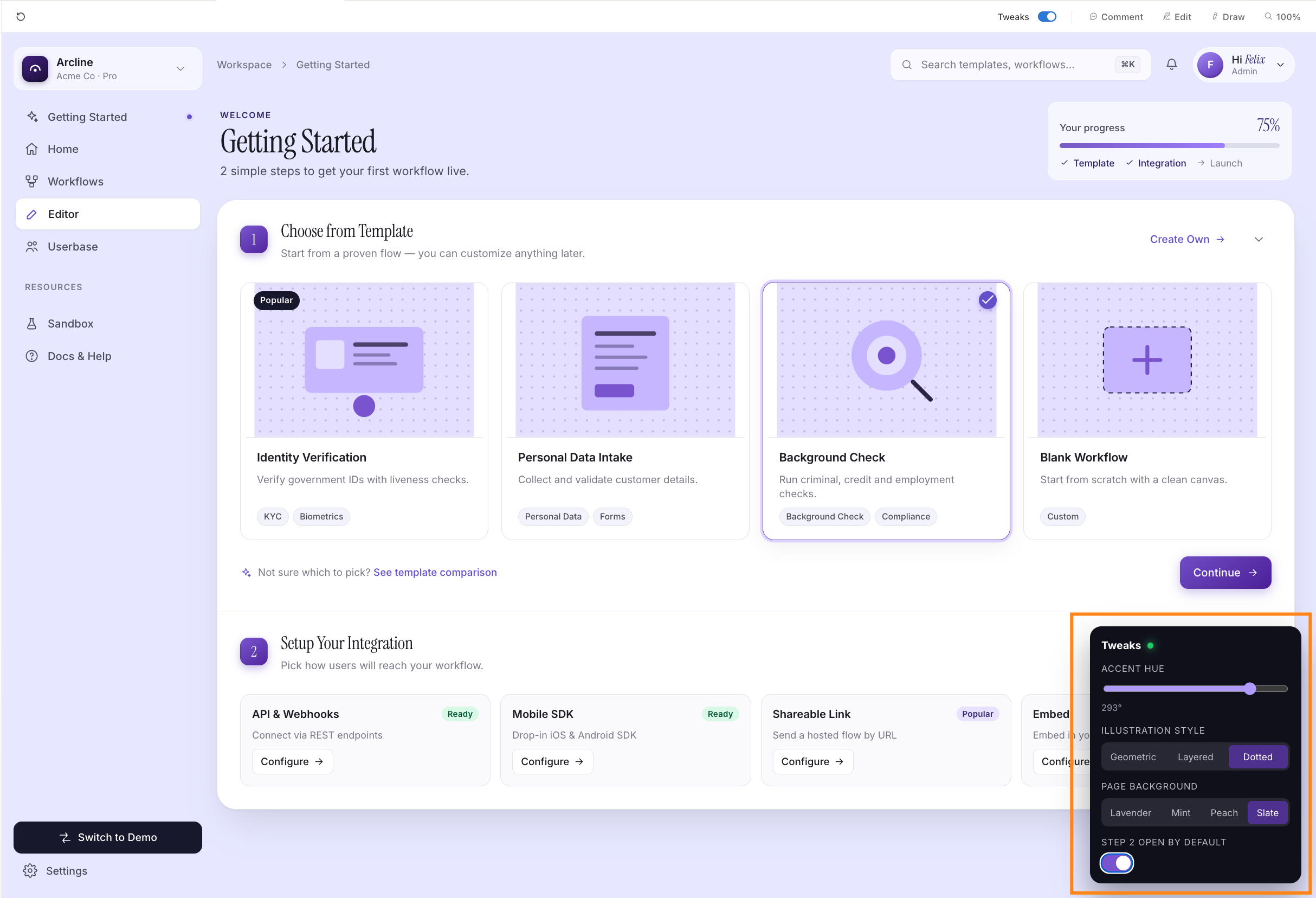
Show Someone Your Idea Before You Spend Any Money on It
Before you commission anything. Before you pay a developer. Before you commit to a direction. You can share a fully clickable version of your idea and get real feedback on whether it works.
The moment someone sees “John Smith” or a placeholder price ending in “.00” they stop reviewing your idea and start reviewing why it does not feel real. Before I share any prototype, I go through every field with the Edit tool and replace placeholder data with something plausible. Real-sounding names, realistic numbers, actual copy for the domain. It takes five minutes and it completely changes the quality of feedback you get back.
Your prompt:
Build an interactive mockup of [your idea].

Who will look at it: [a friend / potential customer / collaborator / investor]
What I want to know from them: [one specific question]

Screens:
- [Screen 1 name]: [what happens here]
- [Screen 2 name]: [what happens here]

Every button should navigate. No placeholder text.
Make the sample data feel real for [your industry or context].
→ Share: Share → Copy link. The person opens it in a browser. No account. No download. They just click through it.
4. How to Fix the First Draft
The first draft will not be perfect. That is not a flaw. Claude Design is built for iteration. Here is the order that changes everything.
Tweaks first. Always.
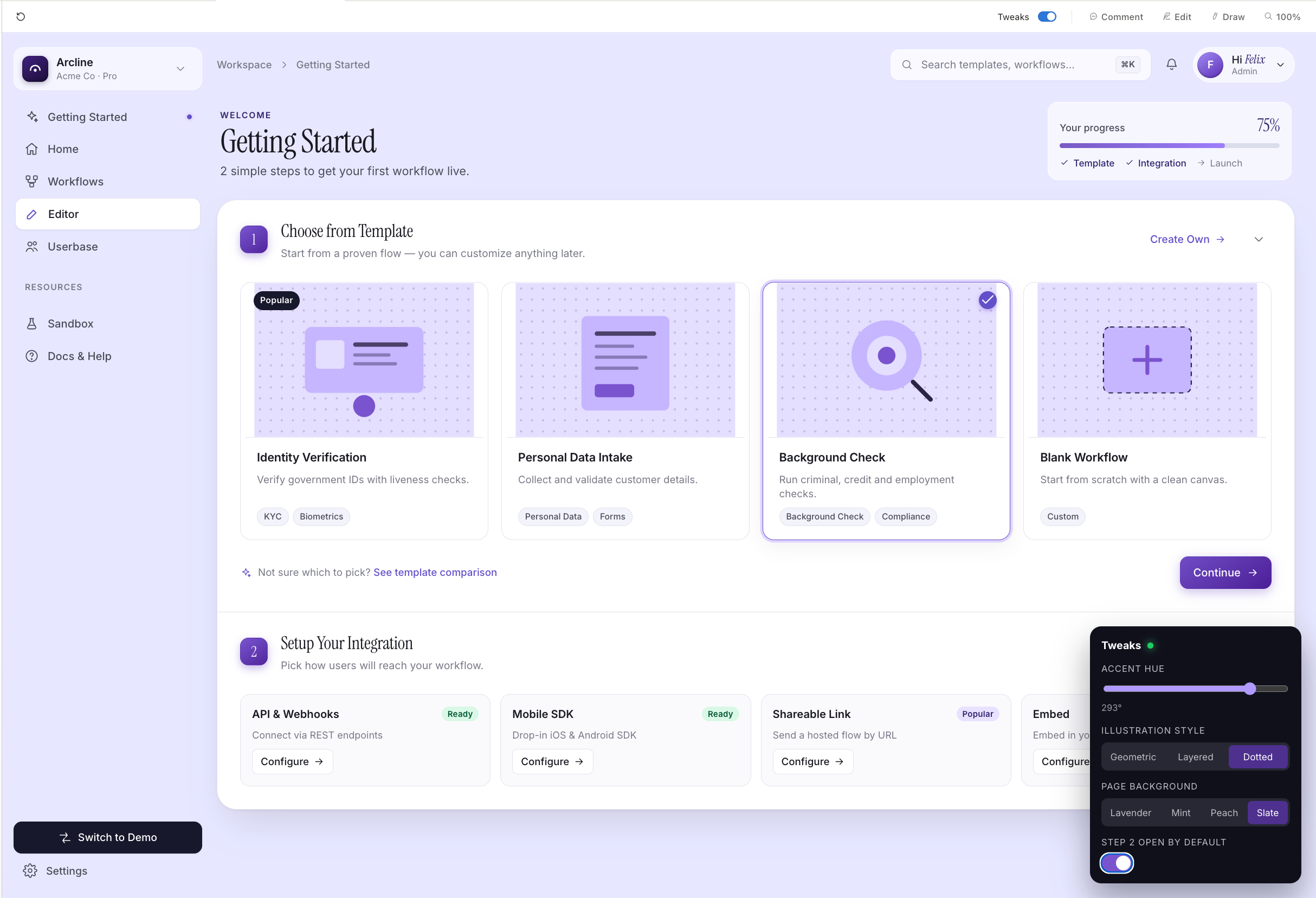
The first draft almost never matches your intended colors or visual style exactly. Tweaks fixes this globally in one move. One adjustment changes every screen at once - the accent color, the illustration style, the background tone. It is completely free. It takes 90 seconds.
I ran Tweaks on every session I tested. In my testing it closed about 60% of the gap between the default output and what I actually needed. Run through every option before touching anything else.

Edit second.
After Tweaks, small things will still be wrong. A headline that is off. A button label that does not match. Sample data that looks fake.
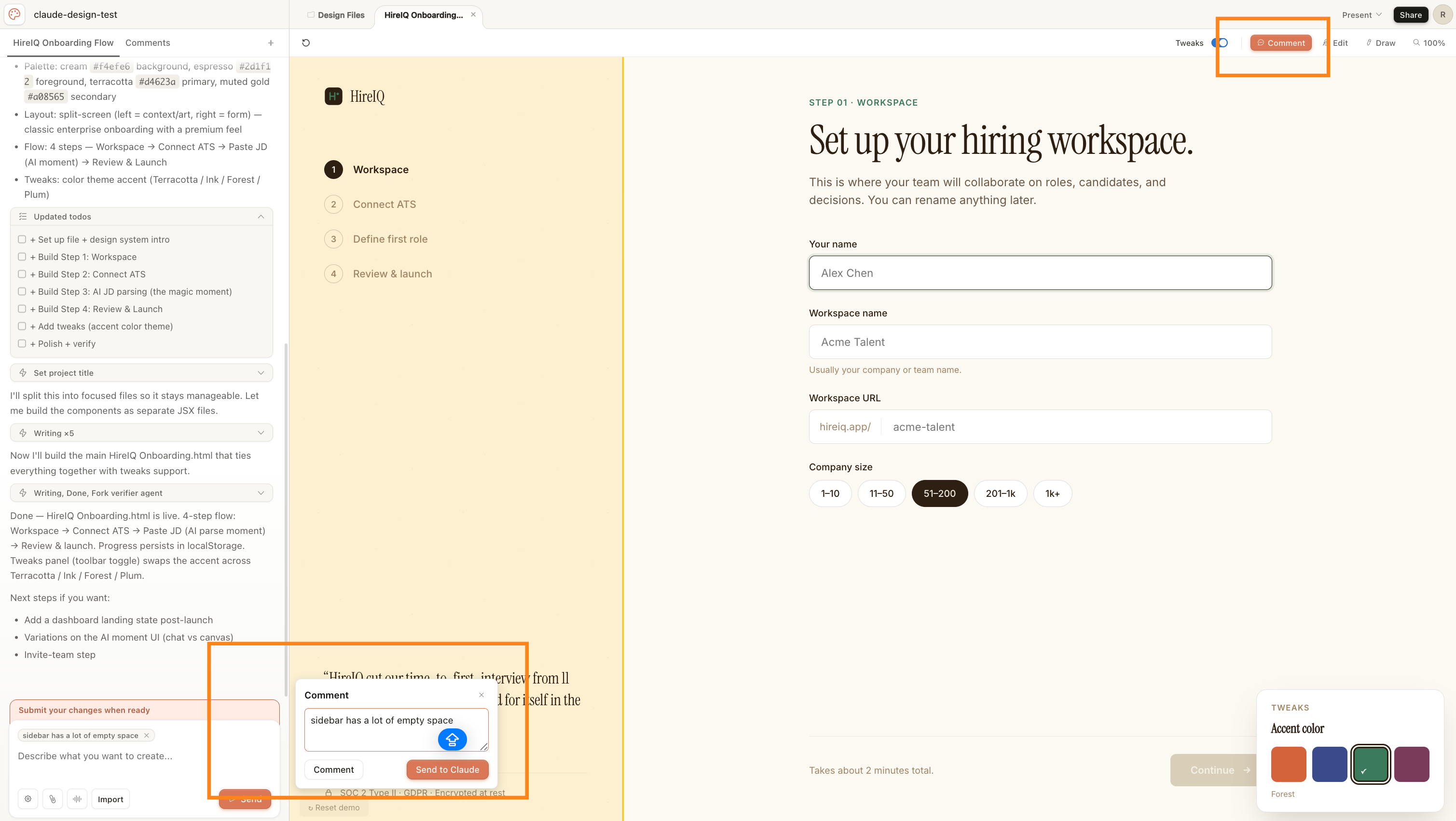
Click the element directly and change it. Three seconds, no cost. The mistake I kept making early on was writing a comment asking Claude to fix something I could just click and type. Comments cost tokens. Clicking and typing does not.
If you can click on it, always Edit it directly. Never write a comment for something you can fix by clicking.

Comments last.
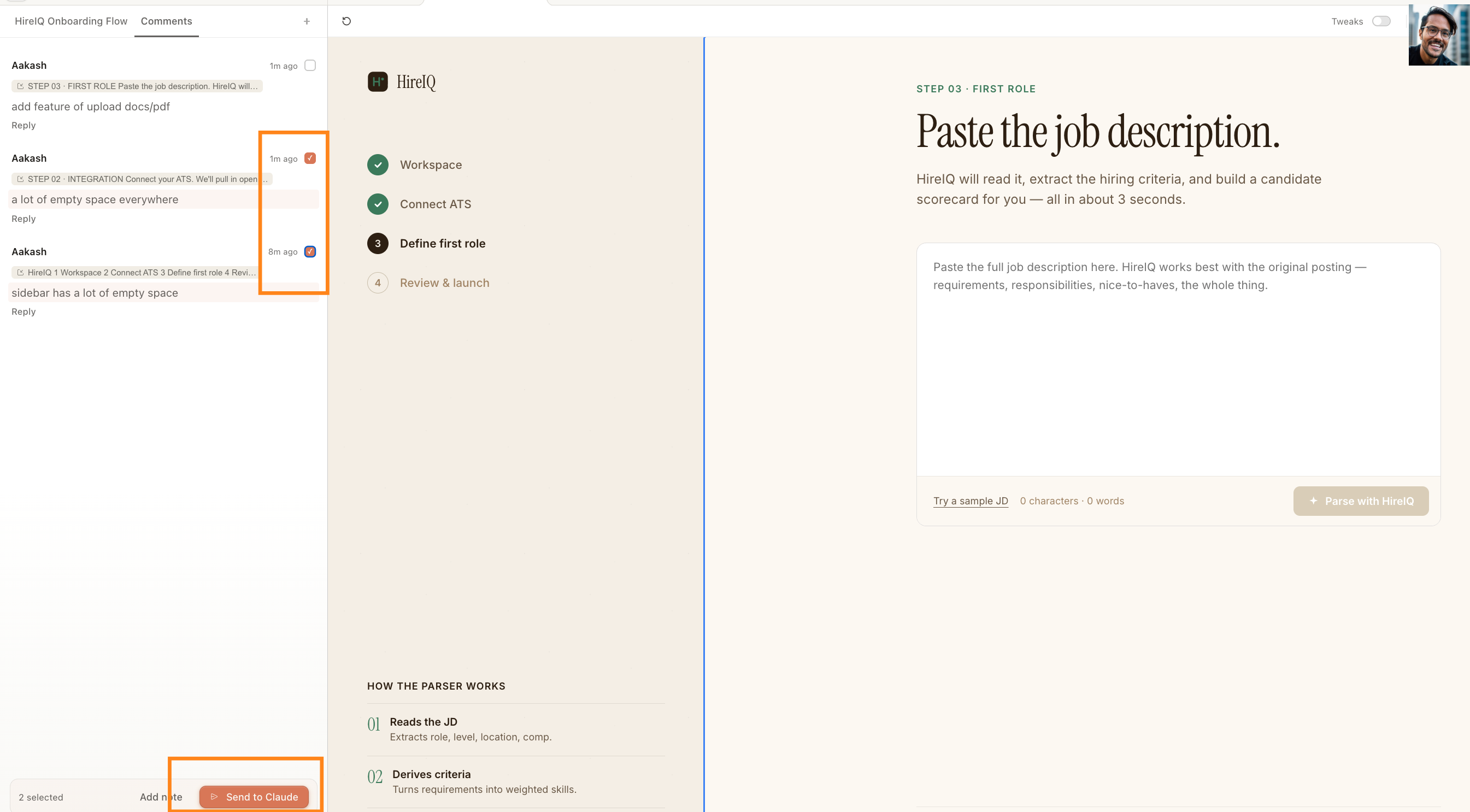
Comments are for when a whole section needs to be rebuilt. A screen that is in the wrong order. A layout that does not work. Something that requires Claude to regenerate rather than you clicking to fix.
Write a specific note, select the section it applies to, and batch everything before sending. Three changes in one send, not three separate sends. Each send is a full AI call. “Make the second screen show the results before asking for payment” works. “This feels wrong” does not give Claude enough to act on.
5. My take on using Claude Design daily
The thing I did not expect was how much the sharing changes things.
When you have something clickable to share instead of a document to read or a Loom to watch, the conversation around it is completely different. People engage with what is in front of them. They click around. They notice specific things. The feedback gets useful because the thing they are responding to is specific.
That shift from “I have an idea” to “here is a link, click through it” used to require hiring someone or learning a tool that takes months to get good at. Claude Design makes it a 15-minute conversation.
The quality ceiling is real. What Claude Design produces is a strong first draft, not a finished product. For something going into production, a designer will take it further. But for getting to the point where you have something real to react to - something to show a collaborator, get feedback from a potential user, or use to make a decision - the first draft is more than good enough.
Two honest things before you start:
1/ Token costs will surprise you. A heavy session with multiple rounds of Comments can burn through your weekly Pro plan quota fast. If you plan to use this regularly, Max tier is worth it. A complete prototype or 10-slide deck costs roughly $2–7. That math works if you are replacing a contractor or a back-and-forth cycle. Just know it before you start, not when you hit the limit mid-session.
2/ This is still the beginning. Everything about Claude Design right now is going to look primitive in 18 months. I genuinely cannot wait to see where this goes. The people who are using it now and developing judgment about what works are going to have a real advantage when the tool gets dramatically better. Get the reps in now.
PS. The Product Growth edition covers everything from the PM side - including a starter GitHub repo. If that’s useful for you, it’s at news.aakashg.com.

Beyond AI, here’s what I found interesting this week:


1/ Apple named John Ternus as next CEO. He joined straight out of college in 2001 and has never worked anywhere else. The board passed on the software guy, the services guy, and the actual chip designer. Tim’s bet was supply chain. John’s bet is the stack.
2/ Rockstar spent $256M to build GTA 5. It’s now done $10B in revenue, still pulls $500M+ a year in year 13, and players are still finding things. The math only works when the simulation has more depth than any player will ever exhaust.
3/ Movie tie-in games are dead because HD broke the math. In the PS2 era, THQ shipped Pixar tie-ins for under $10M and booked real profit. HD multiplied asset budgets while deadlines stayed tied to movie release dates. Nobody runs that trade anymore.
4/ The GTA V train isn’t actually moving. Rockstar scripted it to teleport its coordinates along a fixed path every frame. It doesn’t break your tanker. It doesn’t know your tanker exists.
That’s all for today. See you next week,
Aakash
P.S. Want my AI tool stack? Join my bundle. Want my job search coaching? Apply to my cohort.
There’s so much to digest here. I will say I used Claude work for the first time and was very impressed. From what I see of create it looks quite intricate to create something. Cana is already AI generating and is much easier to prompt.
A lot of product work survives because it stays abstract for too long. In a doc, every idea sounds plausible. In a roadmap, every feature sounds strategic. In a slide deck, every confused workflow can be disguised with boxes, arrows, and executive adjectives. Then you make it clickable and the lie dies.